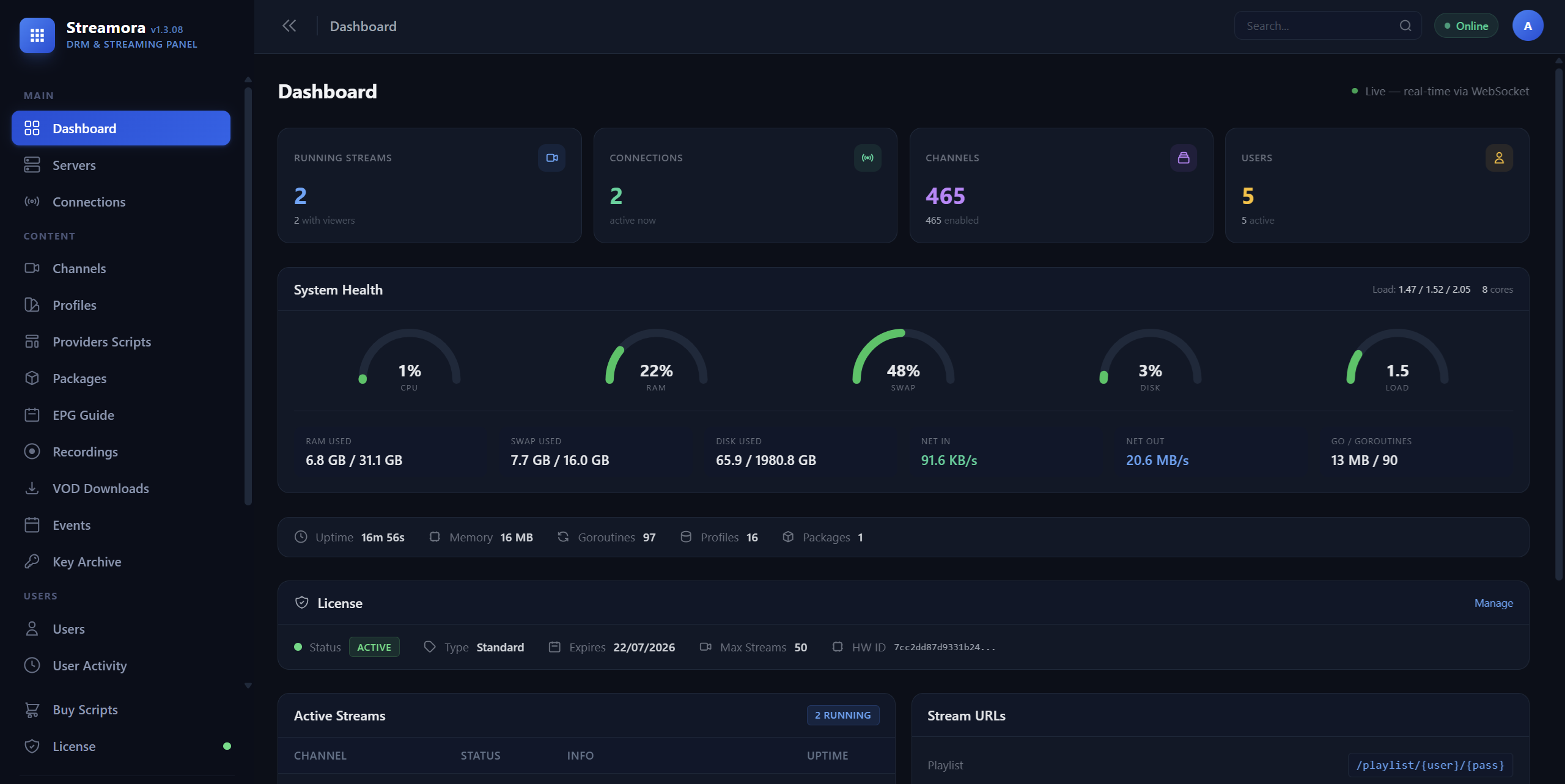
Convert DASH/MPD to HLS with Widevine, ClearKey & PlayReady decryption
Streamora is a fully automated streaming server. Auto MPD key refresh, auto stream recovery on failure, auto provider sync for fresh CDN URLs, auto server deployment via SSH, and auto software updates, all running in the background while you focus on your business. Built-in DRM decryption, internal remuxer (no FFmpeg), and modern admin panel. Try free for 7 days.
Streamora automates everything that other panels make you do manually. DRM keys auto-refresh, streams auto-recover, channels auto-sync from providers, CDN tokens auto-renew, and servers auto-deploy. No babysitting, no scripts to run, no cron jobs to manage.
DRM keys refresh automatically when they expire. Streams auto-restart on failure with configurable retries and cooldown. CDN token refresh runs in the background during live playback, zero manual intervention.
Provider scripts auto-sync channels on schedule, fresh MPD URLs, keys, and metadata fetched without touching the panel. Worker servers auto-deploy via SSH. Software updates apply from the admin panel.
Custom fMP4-to-TS converter built into the Streamora binary. Processes DASH streams directly in memory with DRM decryption, no FFmpeg process, no temp files, 80% less CPU. Auto-creates all directories and segments.
From single-channel testing to thousands of concurrent streams, Streamora scales with you
Custom fMP4-to-TS converter. No FFmpeg needed for DASH streams. 80% less CPU. Handles H.264, H.265, AAC natively with CENC/CBCS decryption.
Widevine (built-in CDM + auto key dump), ClearKey, PlayReady. Key Archive stores all acquired keys. Provider scripts can auto-fetch keys.
Unlimited worker servers via SSH auto-deploy. CPU/RAM/stream health gauges per server. Version-select redeploy. License status monitoring.
Mass add from text, JSON import/export, O11 config import, bulk actions, multi-quality support, probe, inline player preview, provider sync.
Reusable configs with proxy pools, headers, running mode, CDN rewrite, overlay watermark. Drag-and-drop ordering. Channels inherit from profile.
Python scripts automate channel sync, manifest refresh, key acquisition. Marketplace with encrypted delivery. Interactive terminal mode.
Subscribers with connection limits, expiry, IP restrictions. Channel packages for content gating. M3U playlists per user with profile filter.
XMLTV EPG from multiple sources with auto-refresh. M3U/XMLTV endpoints per user. Connection tracking and user activity logs.
Record live streams to MP4/TS/HLS. Event scheduler with auto-start/stop/record. Independent VOD downloader. DRM stream recording.
WebSocket real-time updates. Stream status, codec info, bitrate, viewers. Error diagnostics with auto-detection and fix suggestions.
Stream tester, config importer, background jobs, activity logs, settings. Full REST API with built-in documentation page.
Single bash command. Auto-detects OS, installs dependencies, generates config, creates systemd service. Running in under 2 minutes.
Common questions about Streamora. Review these before contacting support.
Streamora is a professional streaming server that converts DASH/MPD and HLS streams into clean HLS output with full DRM decryption support. It features a custom-built internal remuxer that processes streams directly in memory without FFmpeg, multi-server load balancing with SSH auto-deploy, a provider script marketplace, and a modern responsive admin panel.
Key differences from other solutions:
The 7-day free trial gives you full access to all Streamora features:
No credit card required. After the trial, choose a plan that fits your needs from the premium page.
Streamora is lightweight and efficient:
RAM usage depends on your stream count. The internal remuxer uses significantly less resources than FFmpeg-based solutions.
One command installs everything:
bash <(curl -s https://streamora.dev/updates/install.sh)
The installer automatically detects your OS, installs FFmpeg and dependencies, downloads the latest Streamora binary, generates a secure config, creates a systemd service, and starts Streamora. Your admin panel is ready in under 2 minutes.
The Internal Remuxer is Streamora's custom-built stream processor that converts DASH/fMP4 segments to MPEG-TS directly in memory, without launching FFmpeg.
Yes, Streamora is the streaming server, not a content provider. You need:
Streamora's provider script system can automate fetching stream URLs and keys from supported platforms. Browse available scripts in the Built-in Script Store.
Full access. No credit card. No limitations.
One command to install. Under 2 minutes to your first stream.