Preloader
Technical Guide

How to Restream IPTV Channels - The Complete Technical Guide

Everything you need to know to pull a source stream and redistribute it through your panel - M3U, HLS, MPD, DASH, headers, FFmpeg, and when to let the panel do it for you.


What “Restreaming” Actually Means

Restreaming is the process of pulling a video stream from one source (a satellite capture, an origin HLS URL, a MAG portal, another IPTV provider's M3U) and republishing it to your own users under your panel's URL structure.

At the bare minimum, a restream moves bytes from an input to an output. In practice, you often need to:

  • Normalize the container (TS, fMP4, raw) to what your output expects (usually HLS with TS segments).
  • Preserve or rewrite audio tracks (add a default, drop secondary languages).
  • Handle source disconnects and auto-reconnect.
  • Rewrite segment URLs if the source uses relative paths.
  • Pass through or regenerate EPG data.

Source Formats You Will Encounter

  • M3U / M3U8 HLS - the most common. An .m3u8 URL with .ts segments.
  • MPEG-DASH (.mpd) - common for premium OTT. Usually paired with Widevine DRM.
  • MPEG-TS over HTTP - a single long-running HTTP response. Satellite captures often output this.
  • RTMP / RTMPS - legacy but still used for low-latency contributions.
  • RTSP - cameras and some IPTV headends.
  • SRT - increasingly popular for long-haul satellite-to-headend transport.
  • UDP multicast - rare outside telecom operators' own networks.

Your panel output is almost always HLS (for web/app clients), TS (for MAG STBs), or RTMP (for RTMP-expecting apps).

The Restream Pipeline

Every restream follows the same conceptual pipeline:

[Source URL] | v [Ingest: FFmpeg pulls source] | v [Normalize: copy codec or transcode] | v [Segment: write .ts segments + playlist.m3u8] | v [Serve: Nginx / panel hands segments to users]

A good IPTV panel handles all five stages for you. If you are building by hand, each stage is a separate FFmpeg / Nginx / watchdog problem.

1FFmpeg Command Reference

HLS source to HLS output, copy codec (most common)

ffmpeg -re -user_agent "Mozilla/5.0" \ -i "https://source.example.com/live/channel.m3u8" \ -c copy -map 0 -f hls \ -hls_time 6 -hls_list_size 6 -hls_flags delete_segments+append_list \ -hls_segment_filename "/dev/shm/ch1/seg_%04d.ts" \ "/dev/shm/ch1/playlist.m3u8"

TS-over-HTTP to HLS

ffmpeg -re -user_agent "VLC/3.0" \ -i "http://source.example.com:8080/live/ch1.ts" \ -c copy -map 0 -f hls \ -hls_time 6 -hls_list_size 6 -hls_flags delete_segments \ -hls_segment_filename "/dev/shm/ch1/seg_%04d.ts" \ "/dev/shm/ch1/playlist.m3u8"

RTMP source to HLS

ffmpeg -re -i "rtmp://source.example.com/live/streamkey" \ -c copy -map 0 -f hls \ -hls_time 6 -hls_list_size 6 -hls_flags delete_segments \ -hls_segment_filename "/dev/shm/ch1/seg_%04d.ts" \ "/dev/shm/ch1/playlist.m3u8"

Transcode to H.264 (when source codec is odd)

ffmpeg -re -i "https://source.example.com/ch.m3u8" \ -c:v libx264 -preset ultrafast -tune zerolatency -b:v 3000k \ -c:a aac -b:a 128k -ac 2 \ -f hls -hls_time 6 -hls_list_size 6 -hls_flags delete_segments \ "/dev/shm/ch1/playlist.m3u8"

SRT input to HLS

ffmpeg -i "srt://contribution.example.com:10080?mode=caller&streamid=ch1" \ -c copy -map 0 -f hls \ -hls_time 6 -hls_list_size 6 -hls_flags delete_segments \ "/dev/shm/ch1/playlist.m3u8"
Why /dev/shm? HLS segments are written and read rapidly. Writing them to a tmpfs (/dev/shm) avoids disk IOPS bottlenecks. For a busy server you want 4-8 GB of RAM dedicated to /dev/shm.

2HTTP Headers and User-Agent Gotchas

A huge percentage of failed restreams come from the source refusing requests that do not present the right headers. Things you will encounter:

User-Agent whitelist

ffmpeg -user_agent "Mozilla/5.0 (Linux; Android 11; SM-G998B) AppleWebKit/537.36 Chrome/122.0.0.0 Safari/537.36" \ -i "https://source/stream.m3u8" ...

Referer check

ffmpeg -headers $'Referer: https://source.example.com/\r\n' \ -i "https://source/stream.m3u8" ...

Cookie-based auth

ffmpeg -headers $'Cookie: session=abc123; token=xyz\r\n' \ -i "https://source/stream.m3u8" ...

Multiple headers

ffmpeg -headers $'Referer: https://source/\r\nOrigin: https://source\r\nX-Token: abcdef\r\n' \ -i "https://source/stream.m3u8" ...

A good IPTV panel exposes a Headers field on each channel so you paste the full header block and the panel forwards it on every request - including segment requests, not just the manifest.

Watch for signed URLs with expiry. CDN-fronted sources (Akamai, AWS CloudFront) often sign URLs with a short TTL. Your FFmpeg pull will break every few minutes unless the panel refreshes the manifest URL periodically. Xtream-Masters has a manifest_refresh_min profile setting exactly for this.

3Doing It in a Panel vs. By Hand

You can run FFmpeg restreams by hand under systemd or supervisord, but it breaks down fast:

  • 100 channels = 100 FFmpeg processes = 100 systemd units to manage.
  • Source disconnects need auto-restart logic with backoff.
  • Each user connection needs to be authenticated, logged, and counted against their package.
  • EPG needs to be associated with each channel.
  • Load balancing across multiple output servers.

An IPTV panel collapses all of this into a database row + automatic FFmpeg orchestration. Xtream UI, XUI.ONE, and Xtream-Masters all handle the restream pipeline automatically once you add a channel.

4Bulk Import from an M3U Playlist

Most wholesale IPTV providers give you a big .m3u file with hundreds of channels. Instead of adding each manually:

In any Xtream-family panel: Management → Streams → Import M3U. Paste the URL, map categories, click Import. The panel parses the M3U, creates a stream entry per channel, assigns transcoding profiles, and wires up EPG.

Xtream-Masters goes one step further with Auto M3U Content Sync - the panel re-fetches the source M3U periodically and auto-adds new channels that appear. Useful for event-heavy categories (e.g., sports channels that come and go).

5Scaling: Source Once, Serve Many

The naive model: each load balancer pulls each source independently. 3 LBs x 200 channels = 600 source pulls. If each channel is 4 Mbps, your inbound bandwidth is 2.4 Gbps - you just multiplied your source provider's bill by 3.

The right model: main server pulls the source once, fans out the segments to LBs over a private network. 3 LBs x 200 channels = 200 source pulls total.

This is where panel architecture matters. XUI.ONE runs the source pull on each LB independently - the naive model. Xtream-Masters runs a shared stream state cluster so one pull feeds the whole system - the efficient model. At scale this is thousands of euros per month in saved upstream bandwidth.

Restreaming technology is content-neutral. The legal question is whether you have the right to redistribute the source. Pulling a public-domain feed (your own camera, a licensed contribution, a permitted mirror) is fine. Pulling a rights-holder's broadcast without permission is not, regardless of whether the technical mechanism is FFmpeg, a panel, or a cron script.

This article is a technical reference. If you are unsure about the legal status of a source, consult a lawyer who handles broadcasting rights in your jurisdiction.
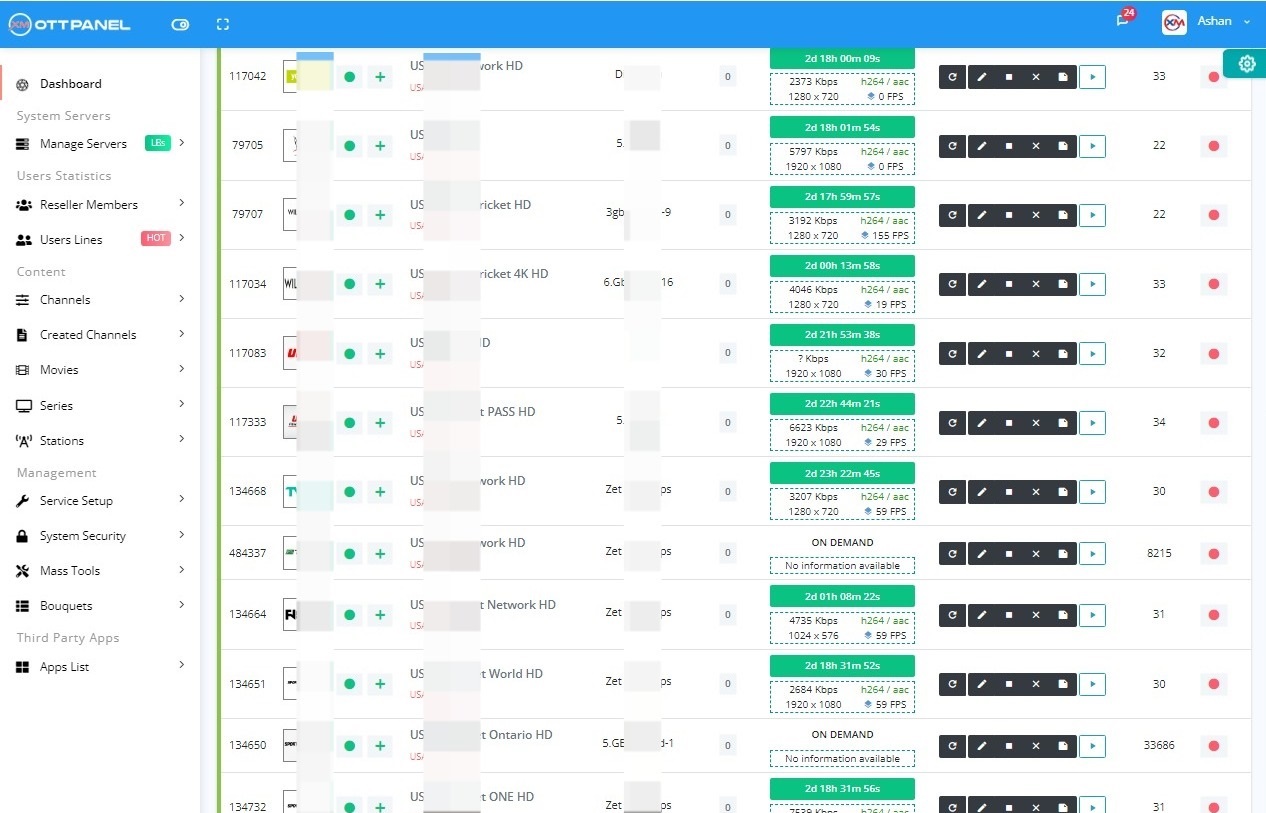
Bottom line: Restreaming well is a matter of knowing FFmpeg deeply, handling headers correctly, and picking an architecture that sources once and fans out to many. A modern panel does most of this for you.

A Panel That Handles Every FFmpeg Detail for You

Xtream-Masters automates the full restream pipeline - source pull, header handling, manifest refresh, source-once fan-out, auto-reconnect, EPG association - so you paste a URL and the panel does the rest.

Scale your IPTV service without becoming an FFmpeg expert.

Automated Restream Pipeline

Xtream-Masters OTT Panel

Restreaming Done Right, Out of the Box

Paste an M3U URL, get 500 channels. Paste an MPD URL with a Widevine key, get DRM live streams. Paste an SRT endpoint, get HLS output. Source-once fan-out across unlimited LBs.

IPTV Admin Panel €39.99/Month
  • Auto M3U import + continuous sync
  • Manifest refresh for signed-URL sources
  • Source-once fan-out across unlimited LBs
  • Widevine DRM source support with key rotation
  • Auto issue repair (audio loss, loops, freezes)

Skip the FFmpeg Deep Dive

Get Your License Now
Support Center

IPTV Restreaming FAQ

Questions operators ask when they start pulling serious restreams.

All
Technical
Scaling
01

Can I restream without transcoding?

Yes, and you should whenever possible. Use -c copy in FFmpeg so the bytes pass through without re-encoding. CPU usage drops from ~1 core per stream to nearly nothing. Only transcode when the source codec is incompatible or you need a different bitrate.

02

How do I handle sources that keep disconnecting?

FFmpeg flags -reconnect 1 -reconnect_streamed 1 -reconnect_delay_max 5 handle transient drops. For panels, the panel's watchdog should restart the FFmpeg process if it exits. Xtream-Masters' auto-repair also detects silent failures (no new segments) and restarts without waiting for FFmpeg to exit.

03

Why does my restream work for 5 minutes then stop?

Signed CDN URL expiry. The initial .m3u8 is valid when fetched, but the segment URLs inside have a time-limited token. Either refresh the manifest periodically via the panel's manifest_refresh setting, or write a cron job that re-fetches the manifest.

04

How do I reduce source bandwidth when I have multiple LBs?

Use a panel with shared stream state (one source pull feeds all LBs) or set up an internal caching layer with varnish/nginx-cache in front of the source. Xtream-Masters does this natively; XUI.ONE does not.

05

Can I restream DRM-protected sources?

Only if you have the decryption keys and a panel that can pipe them to FFmpeg. See our DRM Widevine setup guide.

06

What is the maximum number of restreams per server?

With -c copy (no transcode), a modern 16-core server handles 500-1000 concurrent restreams limited by NIC bandwidth, not CPU. With transcoding, each core handles 1-2 HD streams.

Restream Smarter, Not Harder.

The panel that automates every FFmpeg pipeline so you can focus on your business.

Purchase License - €39.99/Month Download Review
Important Legal Notice
Xtream-Masters is a software development company. We build and license professional software tools — we do not host, store, stream, index, or distribute any audio, video, playlist, channel, or DRM-protected content of any kind. Every product we sell is an empty technical platform; all content processed through our software is supplied, configured, and controlled solely by the end user, who must hold the necessary rights and comply with applicable law. Copyright or DMCA notices must be directed to the operator or stream origin of the URL concerned — not to Xtream-Masters. See our Terms, Privacy Policy, and Refund Policy for full details.