Preloader
DRM Integration

IPTV DRM Widevine Setup - Complete MPD to HLS Guide

Everything you need to handle Widevine-protected MPD/DASH sources in your IPTV workflow - keys, pipes, FFmpeg, and panel integration.


What Widevine DRM Actually Is

Widevine is Google's DRM system, used by almost every premium streaming service (Netflix, Prime, Disney+, HBO, Sky, many regional OTTs). It works by encrypting the video segments with AES-128 or AES-128-CTR, and delivering the decryption keys only to client devices that pass an integrity check against Widevine's license server.

The server-side encryption is CENC (Common Encryption). The key itself is delivered to the client through a license request signed by the Widevine CDM on the device. For an IPTV panel that wants to restream a Widevine-protected source, you need:

  • The encrypted MPD/DASH manifest and its segments.
  • The KID (key ID) and KEY (128-bit AES key) to decrypt them.
  • A decryption pipeline that produces cleartext video bytes.
  • A re-mux step that wraps the cleartext bytes in HLS/TS for your clients.
Circumventing DRM is illegal in most jurisdictions (DMCA 1201 in the US, EU 2001/29/EC, similar statutes elsewhere) unless you are specifically authorized by the rights holder. This article describes the technical mechanism so you can integrate legitimate DRM-protected sources where you have the keys by contract. It is not an instruction manual for bypassing content protection on services you do not have rights to.

The Decrypt-and-Republish Pipeline

[Source MPD + encrypted segments] | v [KID/KEY from license server / contract] | v [Decryptor (shaka-packager or libcenc)] | v [Cleartext fMP4 / TS in a named pipe] | v [FFmpeg re-mux to HLS] | v [Serve HLS to end users]

The hard steps are (1) the decryptor and (2) the pipe handoff without disk writes (critical if the keys rotate).

Where Keys Come From

Three legitimate sources:

  • Contract with the rights holder. They give you the CENC keys directly. Most common for B2B OTT deals.
  • Self-signed DRM for your own content - you encrypt, you keep the keys.
  • License server integration - your panel authenticates as an authorized device and the license server returns a signed key response.

Keys are typically delivered as:

KID:KEY # e.g.: abba1234567890abcdef1234567890ab:ffaabbccddeeff11223344556677889900

Or as a manifest entry matching the <ContentProtection> block in the MPD.

AOption A: shaka-packager (Google's Tool)

Google's open-source shaka-packager can decrypt CENC content if you supply the keys:

shaka-packager \ in="https://source/manifest.mpd,stream=video,output=/dev/shm/video.ts" \ in="https://source/manifest.mpd,stream=audio,output=/dev/shm/audio.ts" \ --enable_raw_key_decryption \ --keys key_id=abba1234567890abcdef1234567890ab:key=ffaabbccddeeff11223344556677889900

Then serve the output as HLS with FFmpeg:

ffmpeg -re -i /dev/shm/video.ts -i /dev/shm/audio.ts \ -c copy -map 0:v -map 1:a -f hls \ -hls_time 6 -hls_list_size 6 -hls_flags delete_segments \ -hls_segment_filename "/dev/shm/ch1/seg_%04d.ts" \ "/dev/shm/ch1/playlist.m3u8"

BOption B: Named Pipes + FFmpeg (Zero-Disk)

For live streams you do not want to buffer to disk - latency and key-rotation reasons. Use named pipes (FIFOs) so the decryptor writes cleartext to a pipe that FFmpeg reads from:

mkdir -p /tmp/drm_ch1 mkfifo /tmp/drm_ch1/video.pipe mkfifo /tmp/drm_ch1/audio.pipe

Decryptor writes to the pipes:

shaka-packager \ in="https://source/ch.mpd,stream=video,output=/tmp/drm_ch1/video.pipe" \ in="https://source/ch.mpd,stream=audio,output=/tmp/drm_ch1/audio.pipe" \ --enable_raw_key_decryption \ --keys key_id=KID:key=KEY &

FFmpeg reads from the pipes, muxes, writes HLS:

ffmpeg -re \ -i /tmp/drm_ch1/video.pipe \ -i /tmp/drm_ch1/audio.pipe \ -c copy -map 0:v -map 1:a -f hls \ -hls_time 6 -hls_list_size 6 -hls_flags delete_segments \ "/dev/shm/ch1/playlist.m3u8"

No decrypted bytes ever touch the disk. On process restart the pipes are flushed cleanly.

COption C: A Panel That Handles All of This

Doing the above by hand per channel is a full-time job. A panel with built-in DRM handling exposes a single dialog per channel with fields for:

  • Source MPD URL
  • KID:KEY pairs (one-off or rotating)
  • License server URL (if automated key fetch)
  • HTTP headers to send on source pulls
  • Key refresh interval

The panel then creates the pipes, spawns the decryptor, wires FFmpeg, and publishes HLS to your existing admin workflow. On a key rotation or source disconnect, the panel restarts the pipeline without a user-visible pause.

Xtream-Masters ships this natively - see our DRM panel tips for the UI walkthrough. XUI.ONE and Xtream UI have no DRM pipeline at all.

Key Rotation and Refresh

Many modern DRM sources rotate keys every few hours. Without automatic refresh your decryptor starts producing garbage output the moment the source switches to a new KID.

Two strategies:

  1. Manifest refresh - re-fetch the MPD periodically, re-read the <ContentProtection> block, and trigger a pipeline restart if the KID changed.
  2. License-server refresh - where the panel periodically re-authenticates against the license server and fetches current keys.

Xtream-Masters exposes a manifest_refresh_min field in stream profiles exactly for this.

Common Failure Modes

“Non-decryptable box” error from shaka-packager

The KID you supplied does not match the one in the manifest. Re-check by parsing the MPD:

curl -s "https://source/ch.mpd" | grep -i "cenc:default_KID"

FFmpeg blocks forever on named pipe

Order of opening matters. Start the decryptor before FFmpeg tries to read the pipe. Or use mkfifo with a small buffer and non-blocking reads.

Audio drift after key rotation

The decryptor restarted but the audio pipe was not flushed. Force a full pipeline restart (both video and audio decryptor + FFmpeg) on rotation, not partial.

High CPU during decrypt

AES-NI should make CENC decrypt nearly free. If you see 100 percent CPU, check grep aes /proc/cpuinfo. On older VPS without AES-NI, decrypt can dominate CPU.
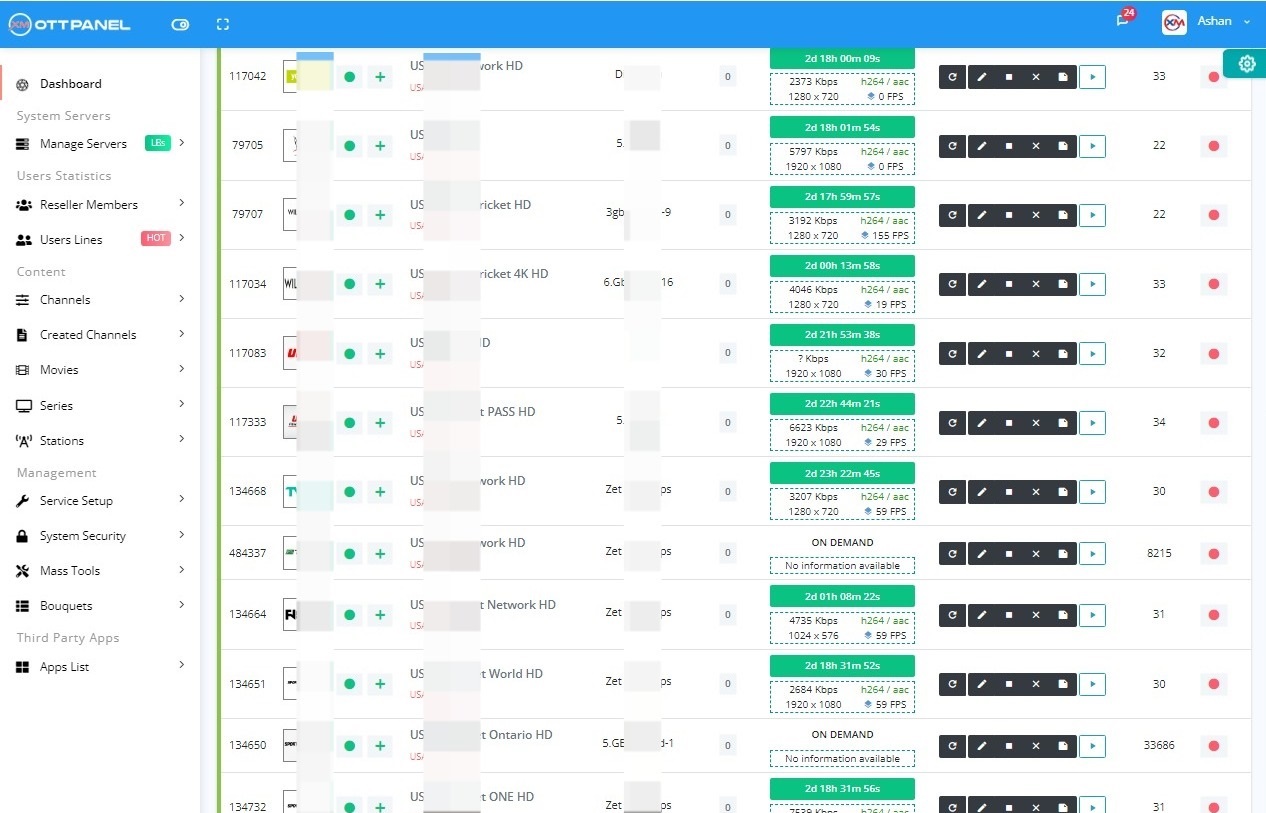
The short version: handling DRM in IPTV is a pipeline of decryptor + FFmpeg + HLS publisher, usually with named pipes to keep cleartext off disk. A panel that handles it natively saves you months of FFmpeg engineering.

The IPTV Panel With Built-In Widevine DRM

Xtream-Masters is the only panel in the XC family with a native Widevine pipeline. Named-pipe decrypt, automatic key rotation, DRM on every load balancer - all in the base license.

If you have contractually-licensed DRM sources, this is how you integrate them without rolling your own FFmpeg orchestration.

Widevine DRM Native

Xtream-Masters OTT Panel

The Only XC-Family Panel With Real DRM Support

Native Widevine pipeline, named-pipe decrypt, automatic key rotation, DRM on every load balancer. Paste an MPD + key, the panel handles the rest.

IPTV Admin Panel €39.99/Month
  • Widevine DRM on every load balancer
  • Automatic key rotation + manifest refresh
  • Named-pipe decrypt - no cleartext on disk
  • Manual key entry or license-server fetch
  • MPD to HLS conversion built in

Handle Premium Sources Properly

Get Your License Now
Support Center

IPTV DRM FAQ

Questions operators ask when integrating DRM sources for the first time.

All
Technical
Legal
01

Do I need Widevine client credentials to decrypt?

No. If you have the raw KID:KEY pairs, you decrypt with open-source tools (shaka-packager, mp4decrypt, OpenSSL). Widevine client credentials are only needed if you have to request keys from a license server on a per-session basis.

02

What bitrate overhead does DRM add?

Effectively zero. AES-CTR adds no payload overhead. The only overhead is the processing, which is negligible on any CPU with AES-NI support (every x86 CPU made since ~2011).

03

Can I keep the output DRM-protected too?

Yes - you can re-encrypt on output with your own keys. Enterprise IPTV operators often decrypt incoming premium content and re-encrypt with their own Widevine license server for their subscribers.

04

Why named pipes instead of temp files?

Cleartext content never touches persistent storage, so if the server is compromised an attacker cannot grab the decrypted file. Named pipes are held only in kernel memory during the transfer.

05

Is it legal to decrypt DRM content I paid for as a consumer?

In most jurisdictions, circumventing DRM is separately illegal even for content you paid to access. Consult a lawyer in your jurisdiction before doing this for anything other than content you produced or have explicit contractual decryption rights to.

06

What happens when the source rotates keys?

The pipeline produces garbage until new keys are supplied. Automatic refresh mechanisms (manifest polling, license server re-auth) need to be in place. Xtream-Masters handles this via manifest_refresh_min per-profile.

Handle DRM Properly.

The IPTV panel that turns MPD + Widevine into HLS for your users, with key rotation handled automatically.

Purchase License - €39.99/Month Download Review
Important Legal Notice
Xtream-Masters is a software development company. We build and license professional software tools — we do not host, store, stream, index, or distribute any audio, video, playlist, channel, or DRM-protected content of any kind. Every product we sell is an empty technical platform; all content processed through our software is supplied, configured, and controlled solely by the end user, who must hold the necessary rights and comply with applicable law. Copyright or DMCA notices must be directed to the operator or stream origin of the URL concerned — not to Xtream-Masters. See our Terms, Privacy Policy, and Refund Policy for full details.