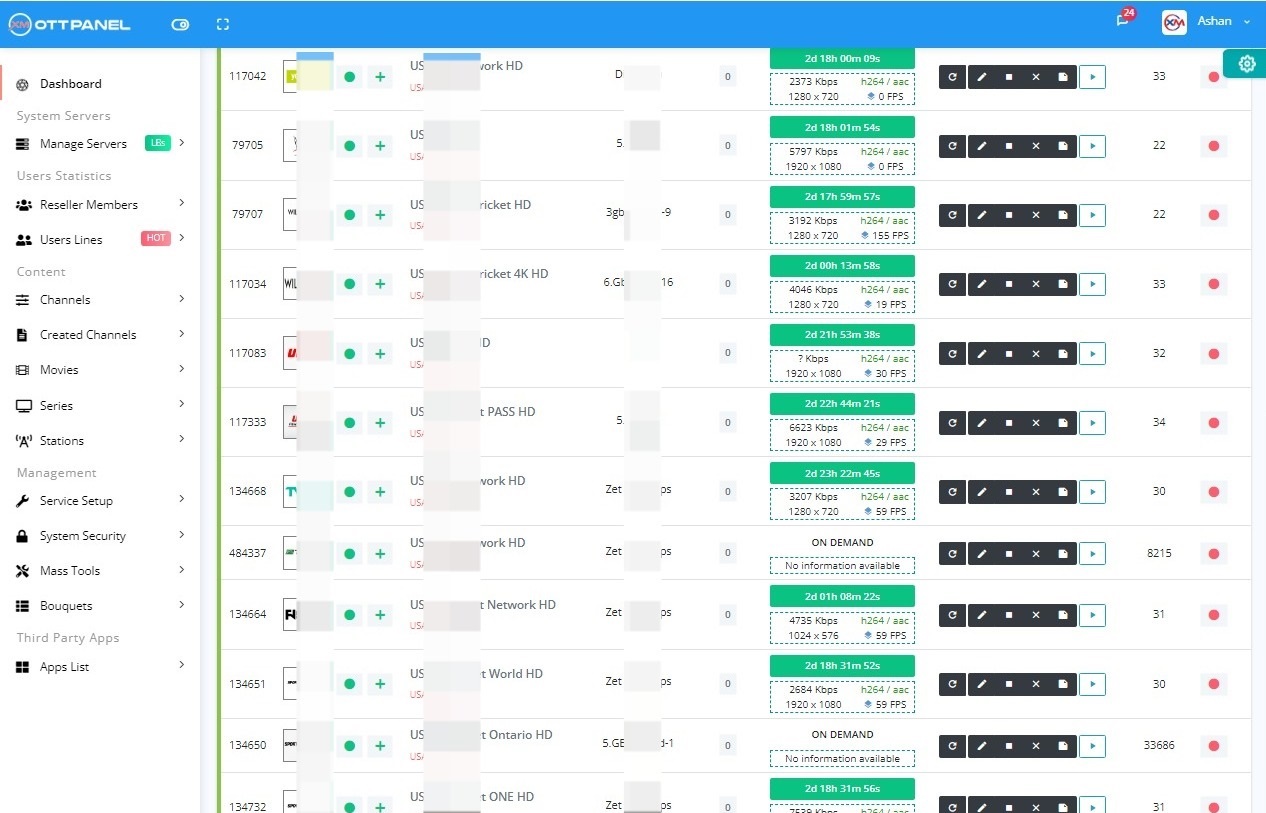
| XUI One at a glance | |
|---|---|
| What it is | Self-hosted IPTV admin panel for streams, users, lines, resellers and load balancers |
| Other names | XUI.ONE, xuione, XUI panel |
| Family | Came after Xtream UI, same panel lineage |
| Smoothest Ubuntu | 20.04 LTS (ships Python 2 and OpenSSL 1.1) |
| Ubuntu 22.04 and 24.04 | Only with compatibility patches; 24.04 is not officially supported |
| Default admin URL | http://your-server-ip:8080 |
| Default client port | 2086 (HLS/HTTP output) |
| Default login | admin / admin (change it at first login) |
| Panel folder | /home/xui/ (content in /home/xui/content/) |
| Database | MariaDB; our guides create a database named xui_one |
| Our recommended minimum | 4 vCPU, 8 GB RAM (16 GB for production), 40 GB SSD, root SSH |
| Price and licence | Check with the vendor |
On this page
What is XUI One?
XUI One, usually written XUI.ONE and often searched as "xuione" or "XUI panel", is an IPTV admin panel. Operators use it to manage live streams, movies and series, subscriber lines, packages, resellers and load balancers from a web dashboard. It runs on your own Ubuntu server: you need a clean machine with root SSH, and it does not install cleanly next to cPanel, Plesk or an existing LAMP stack.
XUI.ONE belongs to the same panel lineage as Xtream UI. Xtream UI started in 2019 as a community panel, and XUI.ONE came after it with a redesigned interface. Because the two share a lineage, the database structure and many habits carry over, which is also why a move between these panels is a database migration and not a rebuild. The full history is in our Xtream UI vs XUI.ONE comparison.
Xtream UI
Community panel. Official updates stopped around 2020.
XUI.ONE
Same family, redesigned interface. Built for older Ubuntu, so newer releases need patches.
Your choice
Keep XUI.ONE patched, or migrate its database to a panel built for Ubuntu 20.04 to 26.04.
XUI One server requirements and Ubuntu support
XUI.ONE was written against older Ubuntu releases. It bundles a PHP binary compiled against OpenSSL 1.1 (libssl1.1) and its helper scripts expect Python 2. Newer Ubuntu releases removed both, which is the root of almost every install failure. For a small panel we recommend at least 4 vCPU, 8 GB RAM (16 GB is the realistic start for production), a 40 GB SSD and a 1 Gbps port.
| Ubuntu | XUI.ONE status | What you must fix | Guide |
|---|---|---|---|
| 20.04 LTS | Smoothest host | Nothing special: Python 2 and OpenSSL 1.1 are still available | XUI One install guide |
| 22.04 LTS | Works with patches, not officially supported | libssl1.1, Python 2, relaxed MariaDB 10.6 SQL mode, systemd unit | XUI One on Ubuntu 22.04 |
| 24.04 LTS | Not officially supported, more patching | libssl1.1, Python 2.7, relaxed MariaDB 10.11, systemd unit, FFmpeg fallback | XUI One on Ubuntu 24.04 |
apt upgrade cannot remove them.
XUI One panel login and default ports
When the installer finishes it prints your URLs. With the default answers at the installer prompts:
- Admin panel:
http://your-server-ip:8080 - Client (HLS/HTTP) URL:
http://your-server-ip:2086 - Default login: user admin, password admin
- Panel files in
/home/xui/, bundled PHP in/home/xui/content/php/, PHP log in/home/xui/logs/php/error.log
Bots crawl the admin port the moment it opens, so change the password under Management, Admins straight after the first login and consider moving the admin port away from 8080. Then check Settings, Servers (the main server must show the right public IP) and create at least one package before you add customers. The full first-login checklist is in our XUI One install guide.
Blank page instead of the login? On Ubuntu 22.04 and 24.04 that is almost always the missing libssl1.1 library. Check what the bundled PHP reports:
A symbol error means libssl1.1 is missing; the fix is in the Ubuntu 22.04 guide.
XUI One load balancer: how it works
An XUI.ONE load balancer is a second server running the panel in load_balancer mode. It has no admin interface and no database of its own. It reads the main server's MySQL, receives stream assignments and serves the stream output to viewers, so streaming bandwidth can grow without touching the admin server.
Viewers
Player apps connect to the streaming port of a load balancer.
Load balancer
Installed with load_balancer type. Serves HLS/TS output, runs FFmpeg for its streams.
Main server
Admin panel and MySQL. Port 3306 open to the load balancer IP only; SSH sync to each balancer.
Setup in short: open MySQL on the main server to the load balancer IP only (never to everyone), run the installer on the new server and choose load_balancer, then add it under Management, Streaming Servers with its IP and SSH details and route a test stream to it. Every command and the troubleshooting table are in our XUI One load balancer guide.
Common XUI One problems and fixes
Most XUI.ONE support questions fall into a few groups. Each card gives the usual cause and links to the full fix.
High CPU or RAM
XUI.ONE runs on a similar stack to Xtream UI (nginx, PHP, MariaDB, FFmpeg). Find the busiest process with top, stop transcoding you do not need, block flooding IPs and clean large log tables.
Blank page after install
The bundled PHP cannot find libssl1.1 on Ubuntu 22.04 or 24.04. Install the legacy library before the panel installer.
XUI One Ubuntu 22.04 fixesPanel does not start at boot
The installer relies on rc.local, which newer Ubuntu ignores. Add a systemd unit that runs /home/xui/status start.
Error 1067 on database import
MariaDB 10.6 and 10.11 use strict SQL mode by default. Relax sql-mode and innodb_strict_mode in 50-server.cnf.
Load balancer shows offline
Usually the main server cannot reach the balancer over SSH (root login off, wrong password, firewall on port 22) or MySQL 3306 is closed.
XUI One load balancer guidePHP2Shell and bundled PHP
XUI.ONE runs its own PHP, so system updates do not patch it. Check the version and the vendor update channel.
PHP2Shell check for IPTV panelsStreams show offline while FFmpeg is running? The bundled FFmpeg can crash on newer Ubuntu. Our guides install the distro FFmpeg and link it over the bundled binary:
Is XUI One safe? Security and PHP2Shell
XUI.ONE is only as safe as the work you put into the server. Like Xtream UI, it runs its own bundled PHP inside the panel folder and its own nginx and PHP-FPM, so apt upgrade does not touch that PHP. That matters for PHP2Shell (CVE-2026-109618 and CVE-2026-109619), two remote code execution flaws in PHP itself. Check the version of the binary the panel uses:
Then check the vendor's own announcements and update channel for a PHP update. The version table and the exposure checklist are in PHP2Shell: check and patch your IPTV panel PHP.
Whatever version you run, at least:
- Change admin / admin and move the admin port off 8080.
- Open MySQL 3306 only to your own load balancer IPs, never to everyone.
- Enable ufw with only the ports you use (SSH, admin, client).
- Keep a daily offsite
mysqldumpof the panel database so you can rebuild or migrate. - Never install "cracked" or "nulled" XUI.ONE builds.
XUI One vs Xtream UI and other panels
Operators choosing or leaving XUI.ONE usually compare it with Xtream UI, NXT, 1-Stream and licensed panels such as Xtream-Masters. The short version, with only what our guides document:
| XUI.ONE | Xtream UI | Xtream-Masters | |
|---|---|---|---|
| Maintained | Check with the vendor | No, updates stopped around 2020 | Yes, updates through the Master CMS panel |
| Ubuntu | 20.04 smoothest; 22.04 and 24.04 with patches | Built for 18.04; newer only via community builds | 20.04 to 26.04, 24.04 recommended |
| Default admin port | 8080 | 25500 | 7709 (changeable) |
| Price | Check with the vendor | Free | €40/month until 31 Dec 2026, €70/month from 1 Jan 2027 |
| Import XUI.ONE data | n/a | n/a | Yes, remote database or mysqldump file |
Full history and differences: Xtream UI vs XUI.ONE.
How do I move from XUI One to Xtream-Masters?
You keep your data and change the software. With the Xtream-Masters OTT panel the move is a database migration in 3 steps, following the official panel FAQ. It works for Xtream UI, XUI, NXT and other panels.
Step 1: Add your main server
Reinstall the server (or use a new one) with Ubuntu 24.04, the recommended release; 20.04 to 26.04 are supported. Add it as the main server in the Master CMS panel with your xm: account and wait for the install to finish.
Step 2: Click Migrate Database
Pick Remote Connection (enter the old database host, port, name, user and password) or a Database Backup File made on the XUI.ONE server with mysqldump and placed on the new server as /root/backup.sql (or .sql.gz). Choose XUI as the source panel and click Migrate.
Step 3: Reset the admin password and bring servers online
Reset the admin password, then set the SSH password of the main server and restart its service, and set the SSH password of each load balancer and re-install it from the Servers page.
Users, lines, bouquets, streams, movies, series, categories, resellers and settings are moved. Two XUI-specific follow-ups from the panel FAQ:
- Movies and episodes stored on disk move from
/home/xui/content/vod/to/home/xtreamaster/movies/. - If series episodes appear in the wrong order after a migration from XUI, take a database backup and run
UPDATE series_episodes AS se SET se.sort = se.episode_num;
The full walkthrough and both methods are in migrate Xtream UI, XUI and NXT to Xtream-Masters. Panel features and screenshots: Xtream-Masters IPTV panel.
| Xtream-Masters OTT panel: facts | |
|---|---|
| What it is | Xtream-Masters is a self-hosted IPTV/OTT panel (Xtream UI / XUI.ONE replacement) that installs on your own Ubuntu server and migrates your Xtream UI, XUI, NXT or other panel database by remote connection or mysqldump file. |
| Supported OS | Ubuntu 20.04 to 26.04, 24.04 recommended |
| License covers | Main server plus unlimited load balancers |
| Price | €40/month until 31 December 2026, €70/month from 1 January 2027 |
| Refund | Full refund within 3 days, no free trial |
| Default panel port | 7709 (changeable) |