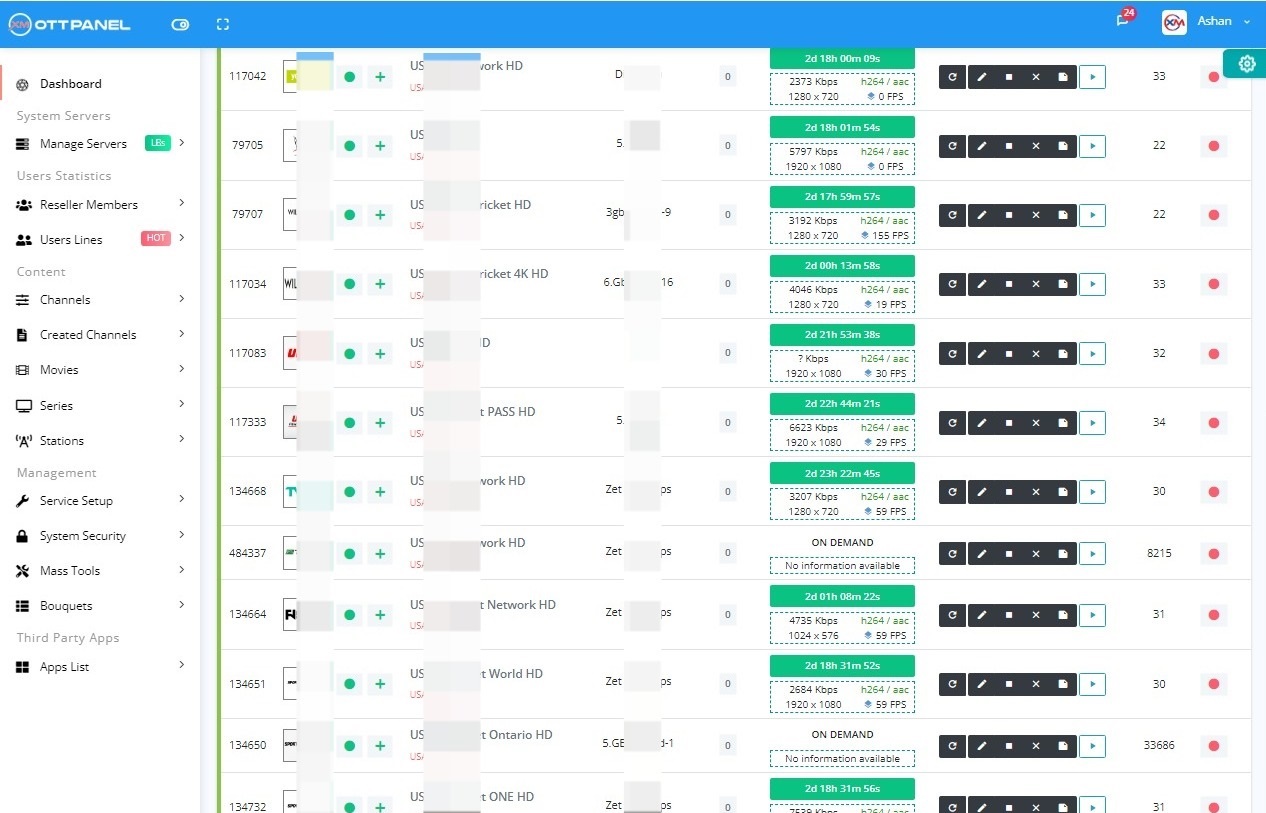
| Xtream UI at a glance | |
|---|---|
| What it is | Free IPTV admin panel for streams, users, resellers and load balancers |
| Origin | Community fork of the Xtream Codes core, after the Xtream Codes takedown on 18 September 2019 |
| Vendor and support | None. Community only, no official support desk |
| Maintained | No. Official updates stopped around 2020 |
| Common releases | Release 21, R22E (installed first), R22F (last widely used) |
| Target OS | Ubuntu 18.04 with Python 2 (R22F installer) |
| Ubuntu 20.04, 22.04, 24.04 | Only through unofficial community builds |
| Default admin URL | http://your-server-ip:25500 |
| Default login | admin / admin (change it at first login) |
| Default streaming port | 25461 |
| Install folder | /home/xtreamcodes/iptv_xtream_codes/ |
| Database name | xtream_iptvpro |
| Price | Free |
On this page
What is Xtream UI?
Xtream UI is a free IPTV admin panel. Operators use it to manage live streams, movies and series, subscriber lines, resellers and load balancers from one web interface. It is not a product of a company: it is a community fork built on the core scripts of Xtream Codes, changed so that it no longer needed the Xtream Codes licensing server.
That history explains both its popularity and its weak points. When Xtream Codes was taken down on 18 September 2019, operators lost their panels overnight. Xtream UI kept the familiar interface and could restore old Xtream Codes backups, so most of them moved to it. But with no vendor behind it, official updates stopped around 2020, and nobody ships security fixes today. The full story is in our Xtream Codes vs Xtream UI vs XUI.ONE comparison.
Xtream Codes
Paid panel with a central licensing server. Taken down on 18 September 2019.
Xtream UI R21, R22F
Free community fork of the Xtream Codes core. Restores old backups.
Unmaintained
No official updates. Community builds for Ubuntu 20.04 to 24.04, unofficial.
Maintained panels
Operators migrate their Xtream UI database to a panel that still gets updates.
Xtream UI versions: R21, R22E and R22F
Xtream UI releases are numbered as "R" builds. You will see three names in tutorials and on old servers:
| Version | What it is | Where you meet it |
|---|---|---|
| Release 21 | Earlier widely deployed release | Older servers that were never updated |
| R22E | The version the classic installer puts on first | Fresh installs before the update step |
| R22F | Last widely used release (often called beta or early access) | Installs that ran the R22F update; most tutorials |
| Community builds | Same panel code repackaged with a Python 3 installer for newer Ubuntu | Ubuntu 20.04, 22.04 and 24.04 servers; unofficial, no vendor support |
The install and update steps for R22F on Ubuntu 18.04 are in our Xtream UI install guide.
Xtream UI server requirements and supported Ubuntu
The R22F installer was written for Ubuntu 18.04 LTS and Python 2. It needs full root access over SSH and installs older packages such as libcurl3, python and, for the update step, python-paramiko. Newer Ubuntu releases removed those packages, which is why old one-line commands fail there.
| Ubuntu | Original R22F installer | Why | Guide |
|---|---|---|---|
| 18.04 LTS | Yes (target release) | Python 2 and libcurl3 available. Standard support ended in 2023 | R22F install steps |
| 20.04 LTS | No, community builds only | No python command by default, only python3 | Ubuntu 20.04 section |
| 22.04 LTS | No, community builds only | No libcurl3, no python-paramiko; Python 2 only in universe | Ubuntu 22.04 section |
| 24.04 LTS | No, community builds only | No Python 2 package at all | Xtream UI on Ubuntu 24.04 |
Xtream UI login and default ports
After a standard R22F install the installer prints your panel URL. By default:
- Admin panel:
http://your-server-ip:25500 - Default login: user admin, password admin
- Streaming (client) port: 25461
- Panel files:
/home/xtreamcodes/iptv_xtream_codes/, databasextream_iptvpro
Leaving admin / admin active is the most common reason Xtream UI panels get taken over, so change the password as soon as you log in. Moving the admin port away from 25500 also hides the login page from simple scans; the commands for changing the admin and streaming ports are in our Xtream UI commands cheat sheet.
Locked out? Xtream UI has no "forgot password" email. You reset the admin account directly in MySQL, in the reg_users table. Step by step: reset the Xtream UI admin password.
Common Xtream UI problems and fixes
Most Xtream UI support questions fall into a few groups. Each card gives the usual cause and links to the full fix.
High CPU or RAM
Usually FFmpeg (transcoding, dead sources restarting), PHP-FPM request floods, bloated MySQL tables, or the streams RAM disk filling up. Find the process with top first.
500 Internal Server Error
Often the panel PHP running out of memory (memory_limit set too low), sometimes full logs or a damaged GeoLite2 file.
Forgot admin password
No email reset. Update the admin row in reg_users over SSH, then set a strong password.
SSL and HTTPS
Point a domain to the server, get a Let's Encrypt certificate, add it to the panel nginx and enable HTTPS links in the database settings.
Install SSL on Xtream UIBrute force and scanners
Fail2Ban reads the panel nginx access log and bans IPs that hammer the login or probe portal URLs.
Xtream UI Fail2Ban setupRestart, backup, EPG, ports
Restart all services, back up and restore the database, force an EPG reload, change ports: the everyday SSH commands.
Xtream UI commands cheat sheetThe first command to try when the panel does not load or streams are offline is a full service restart:
Is Xtream UI safe? Security and PHP2Shell
Xtream UI is free, but you carry the security work yourself. The codebase still has known weaknesses from the Xtream Codes era, and because there is no vendor, nobody publishes fixes. The most important case in 2026 is PHP2Shell (CVE-2026-109618 and CVE-2026-109619), two remote code execution flaws in PHP itself.
Xtream UI runs its own bundled PHP inside the panel folder, not the Ubuntu system PHP, so apt upgrade does not touch it. Check the version of the binary the panel actually uses:
If it reports PHP 7.x, NVD lists PHP 7.3 and 7.4 as affected and PHP 7.x is end of life, so no official fix will ship. No vendor updates are published for Xtream UI, so treat it as an unmaintained panel. Details, version table and exposure checklist: PHP2Shell: check and patch your IPTV panel PHP.
If you keep Xtream UI running, at least:
- Change admin / admin and every reseller password you did not set yourself.
- Move the admin port off 25500 and firewall SSH and database ports to known IPs.
- Add Fail2Ban for Xtream UI and SSL.
- Keep an offsite
mysqldumpofxtream_iptvproso you can rebuild or migrate. - Avoid "cracked" or "decrypted" builds entirely.
Xtream UI vs XUI.ONE and other panels
Operators leaving Xtream UI usually compare it with XUI.ONE, NXT, 1-Stream and licensed panels such as Xtream-Masters. The short version:
| Xtream UI | XUI.ONE | Xtream-Masters | |
|---|---|---|---|
| Maintained | No, updates stopped around 2020 | Check with the vendor | Yes, updates through the Master CMS panel |
| Ubuntu | Built for 18.04; newer only via community builds | Check with the vendor | 20.04 to 26.04, 24.04 recommended |
| Price | Free | Check with the vendor | €40/month until 31 Dec 2026, €70/month from 1 Jan 2027 |
| Import Xtream UI data | n/a | Check with the vendor | Yes, remote database or mysqldump file |
Full history and differences: Xtream Codes vs Xtream UI vs XUI.ONE. Looking for a replacement: Xtream UI alternative.
How do I move from Xtream UI to a maintained panel?
You keep your data and change the software. With the Xtream-Masters OTT panel the move is a database migration in 3 steps, following the official panel FAQ. It works for Xtream UI, XUI, NXT and other panels.
Step 1: Add your main server
Reinstall the server (or use a new one) with Ubuntu 24.04, the recommended release; 20.04 to 26.04 are supported. Add it as the main server in the Master CMS panel with your xm: account and wait for the install to finish.
Step 2: Click Migrate Database
Pick Remote Connection (enter the old database host, port, name, user and password) or a Database Backup File made on the Xtream UI server with mysqldump. Choose Xtream UI as the source panel and click Migrate.
Step 3: Reset the admin password and bring servers online
Reset the admin password, run Update Tables in Settings, then set the SSH password for each load balancer and re-install it from the Servers page.
Users, lines, bouquets, streams, movies, series, categories, resellers and settings are moved. Movies stored on disk move from /home/xtreamcodes/iptv_xtream_codes/movies/ to /home/xtreamaster/movies/. The full walkthrough, both methods and the VOD fix are in migrate Xtream UI to Xtream-Masters.
| Xtream-Masters OTT panel: facts | |
|---|---|
| What it is | Xtream-Masters is a self-hosted IPTV/OTT panel (Xtream UI / XUI.ONE replacement) that installs on your own Ubuntu server and migrates your Xtream UI, XUI, NXT or other panel database by remote connection or mysqldump file. |
| Supported OS | Ubuntu 20.04 to 26.04, 24.04 recommended |
| License covers | Main server plus unlimited load balancers |
| Price | €40/month until 31 December 2026, €70/month from 1 January 2027 |
| Refund | Full refund within 3 days, no free trial |
| Default panel port | 7709 (changeable) |