Table of Contents
- What "Launching an IPTV Brand" Actually Means
- The Five Pillars of an IPTV Brand
- Step 1 — Get Your IPTV Panel
- Step 2 — Set Up Your DNS Architecture
- Step 3 — Get a Branded IPTV Player App
- Step 4 — Configure VPN for Your Subscribers
- Step 5 — Launch and Scale
- Timeline and Cost Breakdown
- Seven Mistakes That Kill New IPTV Brands
- FAQ
What "Launching an IPTV Brand" Actually Means
There is a difference between running an IPTV service and launching an IPTV brand. A service is a server with streams and a subscription list. A brand is an identity — a named product that subscribers recognize, trust, and recommend. The brand has its own player app on their devices, its own look and feel, its own support channel, and its own reputation. Subscribers do not think of it as "some IPTV thing" — they think of it by name.
Launching your own IPTV brand means assembling five components into a cohesive product that looks, feels, and operates like a professional streaming service. Those components are: an OTT panel (back-end), a DNS architecture (connectivity layer), a branded player app (front-end), a VPN strategy (reliability layer), and a launch plan (go-to-market). Miss any one of these and you have a service, not a brand.
This guide walks through each component in the order you should build them. It is written for B2B operators — people building a branded IPTV service for resellers, white-label clients, hospitality, or direct-to-consumer retail. Whether you are starting from scratch or upgrading an existing operation into a proper brand, the sequence is the same.
The Five Pillars of an IPTV Brand
Before diving into each step, here is the architecture at a glance. Every successful IPTV brand in 2026 is built on the same five layers:
| Layer | Component | What It Does |
|---|---|---|
| 1. Back-End | OTT Panel | Manages streams, users, resellers, billing, load balancers, and the API that your player connects to. |
| 2. Connectivity | DNS Architecture | Routes your subscribers to the correct server. Multiple DNS entries ensure the service stays reachable even when ISPs block individual domains. |
| 3. Front-End | Branded Player App | The app your subscribers install. Carries your logo, your colors, your DNS, and connects to your panel via the Xtream Codes API. |
| 4. Reliability | VPN Integration | Encrypted tunnels built into the player that bypass ISP blocks and deep packet inspection. Reduces churn and support tickets. |
| 5. Go-to-Market | Launch Plan | Reseller recruitment, trial funnels, pricing structure, and distribution strategy for your branded player. |
Each layer depends on the one before it. You cannot distribute a branded player without a panel for it to connect to. You cannot maintain uptime without a DNS strategy. You cannot reduce churn without VPN. And you cannot grow without a launch plan. The order matters.
Step 1 — Get Your IPTV Panel
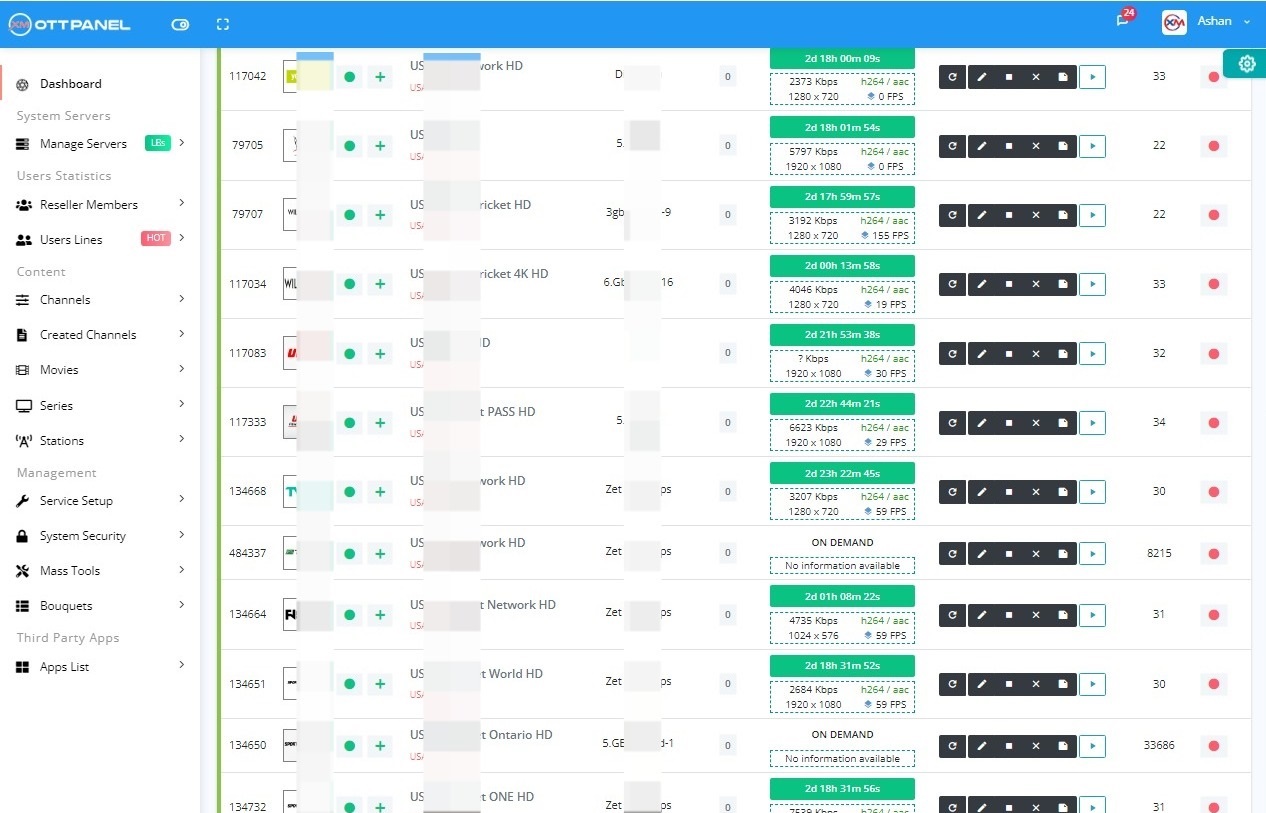
The OTT panel is the foundation of your IPTV brand. It is the software that runs on your server and does everything behind the scenes: ingests streams from your content source, transcodes when needed, manages your subscriber database, handles reseller credits, exposes the API that your player app connects to, and distributes traffic across your load balancers.
Choosing the wrong panel is the single most expensive mistake a new IPTV brand can make. Not because the panel license costs a lot — it does not — but because a panel that leaks memory, cannot scale beyond three load balancers, or lacks an API compatible with standard IPTV players forces you to spend months patching around its limitations instead of building your brand.
1 Choose a panel that speaks the Xtream Codes API
The Xtream Codes API (player_api.php, get.php) is the industry standard. Every generic IPTV player, every white-label player, and every MAG portal expects it. If your panel does not expose this API, your branded player will not work with standard tooling. The Xtream-Masters OTT Panel is fully XC API-compatible, as are XUI.ONE and Xtream UI.
2 Pick a panel that scales with you
At launch you will have one server. Within six months, if things go well, you will need two to five load balancers in different geographies. Many legacy panels (Xtream UI, Streamcreed) start breaking above three load balancers due to memory leaks and shared-state issues. The Xtream-Masters OTT Panel supports unlimited load balancers on a single license with no per-LB fees — the architecture is designed for growth from day one.
3 Install on a dedicated server, not a VPS
IPTV is bandwidth-bound. VPS providers charge for egress at rates that make IPTV uneconomic at any scale. Use a dedicated server from OVH, Hetzner, WorldStream, or similar — 32 GB RAM minimum, unmetered 1 Gbps, NVMe SSD for VOD. Budget 70 to 120 euros per month for your main server.
The Xtream-Masters OTT Panel installs via a single command, includes DDoS protection, DRM, ActiveCode anti-sharing, and a full reseller system with credit-based billing. The license is 39.99 euros per month. For a new IPTV brand, it is the most complete starting point available in 2026. See the full panel feature list and installer page.
Step 2 — Set Up Your DNS Architecture
DNS is what connects your branded player to your panel. When a subscriber opens your player app, the player resolves a domain name (e.g., dns.yourbrand.com) to find your server's IP address. If that resolution fails — because an ISP blocks your domain, because your registrar suspends it, or because your IP changes — the player cannot connect. Your service is dead until the subscriber manually updates something.
A proper DNS architecture for an IPTV brand involves multiple layers of redundancy:
- Primary domain. Register a clean domain with a privacy-friendly registrar (Njalla, Namecheap, Porkbun). Point it to your main panel server. This is what you give to subscribers and resellers.
- Backup DNS entries. Register two or three additional domains on different registrars and different TLDs. Point them to the same server (or to different load balancers). If one domain is blocked or seized, the others keep working.
- Smart DNS in the player. This is the critical piece. A branded player with Smart DNS auto-switch stores all your DNS entries and cycles through them automatically. If the primary domain is unreachable, the player tries the second, then the third, until one resolves. The subscriber never sees an error. This is not something you configure on the server — it is a feature of the player itself.
- Cloudflare for the admin panel. Proxy your admin dashboard through Cloudflare for DDoS protection and caching. Do not proxy your streaming endpoints through Cloudflare — their TOS forbids it on free and Pro plans.
The DNS architecture is where the difference between a "service" and a "brand" becomes tangible. A service gives subscribers a server URL and hopes it keeps working. A brand engineers redundancy so subscribers never experience downtime, even when ISPs actively block IPTV domains.
Step 3 — Get a Branded IPTV Player App
The branded player app is the face of your IPTV brand. It is the only part of your infrastructure that subscribers see and interact with every day. A professional player with your logo, your colors, and your features is what transforms a back-end operation into a recognizable brand.
You have three paths to a branded player:
- Rebrand a generic player. Pay a freelancer 10 to 400 dollars to decompile IPTV Smarters or IBO Player, swap the logo and DNS, and hand you a modified APK. Fast and cheap, but you get a static APK with no admin panel, no Smart DNS, no VPN, and no ability to push updates without redistributing a new file. See our full rebrand guide for the honest limitations.
- Build a player from scratch. Hire developers, spend six to twelve months, invest 20,000 to 80,000 dollars. You get exactly what you want, but the timeline and budget are prohibitive for most new brands. See our build your own IPTV app analysis for the realistic breakdown.
- Get a purpose-built player with an admin panel. This is the middle path — and the one that most serious IPTV brands choose. You receive a fully branded player (APK + AAB) along with a web-based admin panel for remote management of DNS, VPN, branding, and security. Delivered in 3 to 7 days, no coding required.
The Xtream-Masters IPTV player app with panel is built specifically for this use case. Here is what it includes and why each feature matters for your brand:
- Your brand identity. Your logo, your app name, your colors, your splash screen. Subscribers see your brand every time they open the player — not a generic IPTV player logo.
- Smart DNS auto-switch. Add unlimited DNS servers through the admin panel. The player cycles through them automatically if one is blocked. This is the feature that keeps your brand alive when ISPs start blocking.
- Built-in VPN (4 types). OpenVPN, WireGuard, IKEv2, and HTTP Proxy tunnels integrated directly into the player. Your subscribers do not need a separate VPN app. You manage VPN profiles remotely through the admin panel.
- Firebase 99.99% uptime. The player's configuration layer runs on Google Firebase. DNS rotations, VPN profile updates, branding changes, and security toggles are pushed instantly through Firebase — no new APK needed.
- ActiveCode device binding. Hardware-level authentication that binds each activation code to a physical device. Prevents credential sharing far more effectively than username/password or max-connections limits.
- Admin panel. A web dashboard where you manage everything about the player remotely — DNS servers, VPN profiles, branding, activation codes, security settings. This is what makes the player a managed product instead of a static APK.
- Xtream Codes API compatible. Works with Xtream-Masters panel, XUI.ONE, Xtream UI, and any panel that exposes the standard XC API.
- APK + AAB. Ready for sideloading (APK) and Google Play Store submission (AAB). Android, Android TV, and Fire TV from one build.
The player is 299 dollars, one-time. No recurring fees for the player itself. Delivered in 3 to 7 business days, branded and configured. For a new IPTV brand, this is the highest-impact investment you will make — it is the difference between subscribers using "some app" and subscribers using your app.
Step 4 — Configure VPN for Your Subscribers
ISP blocking is the biggest operational headache for IPTV brands in 2026. In the UK, Germany, Italy, France, and dozens of other markets, ISPs actively block known IPTV domains and IPs using DNS poisoning, IP blacklisting, and deep packet inspection (DPI). If your subscribers cannot reach your server, your brand does not exist for them.
VPN integration solves this at the player level. Instead of telling subscribers to "install a VPN app and connect before opening the player" — a support nightmare that drives churn — a properly built branded player handles VPN internally. The subscriber opens your player, the VPN tunnel activates automatically, and streams play. No extra apps, no extra steps, no support tickets.
Here is how to set up VPN for your IPTV brand:
1 Choose a VPN server provider or run your own
You need VPN endpoints in the geographies where your subscribers are located. Options: rent VPN servers from a provider that allows IPTV traffic, or spin up your own WireGuard/OpenVPN endpoints on cheap VPS instances (5 to 15 euros per month each). You are not building a consumer VPN — you are building private tunnels for your player traffic.
2 Generate VPN profiles
Create OpenVPN (.ovpn) or WireGuard (.conf) profiles for each VPN endpoint. Each profile contains the server address, encryption keys, and tunnel configuration. You do not distribute these to subscribers — you upload them to your player's admin panel.
3 Push profiles to the player via the admin panel
In the Xtream-Masters player admin panel, upload your VPN profiles. The player downloads them via Firebase and connects automatically. If you need to rotate a VPN server or add a new endpoint, push the update through the panel — every player receives it instantly without an APK update.
4 Test in blocked regions
Before launch, verify that the player connects successfully when the primary DNS is blocked. Test with a subscriber device that has ISP-level blocking active. The player should auto-switch DNS, activate the VPN tunnel, and stream without subscriber intervention.
The combination of Smart DNS auto-switch and built-in VPN is what makes a branded player resilient. DNS handles soft blocks (DNS poisoning). VPN handles hard blocks (IP blacklisting, DPI). Together, they cover every blocking method ISPs currently deploy. This reliability is what subscribers pay for and what keeps them subscribed month after month.
Step 5 — Launch and Scale
With your panel installed, DNS configured, branded player delivered, and VPN set up, you are ready to launch your IPTV brand. The launch itself is a distribution and go-to-market challenge, not a technical one. Here is the playbook that works for B2B IPTV operators in 2026:
Pre-Launch Checklist
- Test everything end-to-end. Install the branded player on every target device (Android phone, Android TV, Fire TV Stick). Verify Live TV, VOD, Series, EPG, and Catchup. Test DNS failover. Test VPN auto-connect. Fix every issue before a single subscriber touches the player.
- Set up your reseller tiers. In your panel, create reseller accounts with credit-based pricing. Most new brands launch with 3 to 5 resellers who each bring 20 to 100 subscribers. Reseller-first launches are lower risk and higher volume than direct retail.
- Create a distribution page. A simple landing page where subscribers download your branded player APK, find setup instructions, and access support. Host it on a domain separate from your panel for safety.
- Prepare trial subscriptions. 24-hour trials at 2 to 5 euros convert at 30 to 40 percent if the service works reliably. Build the trial into your pricing from day one.
Scaling From 50 to 5,000 Subscribers
Growth for IPTV brands follows a predictable infrastructure curve:
| Subscribers | Infrastructure | Monthly Cost |
|---|---|---|
| 0 – 100 | One dedicated server (panel + streams) | 70 – 120 euros |
| 100 – 500 | Main server + 1 load balancer | 200 – 350 euros |
| 500 – 2,000 | Main + 2-3 LBs, geographic split | 500 – 1,000 euros |
| 2,000 – 5,000 | Main + 5-8 LBs, redundant DB, monitoring | 1,500 – 4,000 euros |
| Panel license (all tiers) | Xtream-Masters OTT Panel | 39.99 euros (flat) |
The panel license does not scale with your subscriber count — it is a flat 39.99 euros per month regardless of how many load balancers or users you run. This is by design. Your infrastructure costs should be servers and bandwidth, not panel licensing fees that punish growth.
Timeline and Cost Breakdown
Here is what it actually takes to go from zero to a live IPTV brand, assuming you already have a content source or wholesale feed arranged:
| Day | Task | Cost |
|---|---|---|
| 1 – 2 | Rent dedicated server, install Xtream-Masters OTT Panel | 70 – 120 euros/month (server) + 39.99 euros/month (panel) |
| 2 – 3 | Register domains (primary + 2 backups), configure DNS, set up Cloudflare for admin UI | 30 – 60 euros (domains) |
| 2 – 3 | Ingest streams from content source, configure categories, EPG, VOD | Varies (content cost) |
| 3 | Order branded player app from Xtream-Masters | $299 one-time |
| 3 – 5 | Set up VPN endpoints (2-3 servers), generate profiles | 10 – 30 euros/month (VPN servers) |
| 7 – 10 | Receive branded player, upload DNS entries + VPN profiles to admin panel | — |
| 10 – 12 | End-to-end testing on all target devices | — |
| 12 – 14 | Set up reseller accounts, create distribution page, soft launch with first resellers | 50 – 200 euros (hosting + marketing) |
| Total to launch (Month 1) | 800 – 1,500 euros + content costs | |
Two weeks from server rental to live subscribers. That is the realistic timeline when you use a modern panel and a purpose-built player instead of trying to assemble everything from scratch.
Seven Mistakes That Kill New IPTV Brands
Every year, hundreds of IPTV brands launch and most fold within six months. The technical reasons are almost always the same:
- Using a cracked panel. Cracked panels ship with backdoors, do not receive security updates, and break under load. The money you save on the license you spend ten times over on server firefighting and subscriber churn. A legitimate OTT panel at 39.99 euros per month is cheaper than the extra VPS you will rent to patch around a cracked panel's instability.
- Single DNS entry with no failover. One domain gets blocked, 100 percent of subscribers go dark. Use multiple domains across different registrars, and use a player with Smart DNS auto-switch.
- No branded player. Telling subscribers to use TiviMate with your server URL does not build a brand. It builds a commodity service that subscribers leave the moment they find a cheaper one. Your player is your brand identity.
- No VPN strategy. ISP blocking is not a hypothetical — it is a daily reality in most European and Middle Eastern markets. If your player does not handle it transparently, your support inbox fills up and subscribers cancel.
- Launching retail instead of reseller-first. Resellers are your unpaid sales team. They bring their own customers, test your infrastructure under load, and provide feedback before you invest in retail marketing. Launch with 3 to 5 resellers, not with a Facebook ad.
- No anti-sharing protection. Without ActiveCode device binding or similar hardware-level auth, every subscriber shares their credentials with friends and family. You serve four viewers for the price of one. Your server costs scale, your revenue does not.
- Cheap servers. A 10-euro VPS with 2 GB RAM cannot serve IPTV. It can barely serve a website. Dedicated servers with 32 GB RAM and unmetered bandwidth are the minimum. Skimping here guarantees buffering, which guarantees churn.