Preloader
Installation Guide

How to Install Xtream UI R22F on Ubuntu 18.04

A complete, beginner-friendly walkthrough to getting your IPTV panel up and running.


Xtream UI remains one of the most popular free choices for managing IPTV services. If you are just starting out and don't have a huge budget for premium panels, this is a great place to start. While it might seem complicated at first, installing it is actually quite straightforward if you follow the steps below.

1Getting Your Server Ready

Before we type a single command, you need to make sure your environment is correct. Xtream UI is very specific about what it needs.

  • Operating System: You strictly need Ubuntu 18.04 LTS. Do not try this on Ubuntu 20.04 or 22.04, as the dependencies for the free version of Xtream UI are quite old and won't work on newer systems.
  • Tools: You will need PuTTY (to run commands) and WinSCP (to transfer files) installed on your computer.

2Enabling Root Access

Most server providers today give you a custom username (like ubuntu or azureuser) instead of the root user for security reasons. However, Xtream UI needs full root access to install correctly.

If you aren't logged in as root, login with your default user and run:

sudo -i

Now, let's enable direct root login so you don't have issues later. Open the SSH config file:

nano /etc/ssh/sshd_config

Look for the line that says PermitRootLogin prohibit-password or similar. Change it to:

PermitRootLogin yes

Press CTRL+X, then Y, then Enter to save. Finally, restart the SSH service and set a root password:

service sshd restart passwd root

3Running the Installation Script

We will use a mirror script that automates downloading all the necessary files. Since the original Xtream Codes servers are down, these mirrors act as the source.

Copy and paste this entire command into PuTTY:
apt-get update ; apt-get install libxslt1-dev libcurl3 libgeoip-dev python -y ; wget https://lofertech.com/xui/install.py ; sudo python install.py

Once the script starts, you will see a menu. Here is what to do:

  1. Type MAIN and press Enter (this installs the Admin panel).
  2. When asked to configure MySQL, choose Y (Yes).
  3. It will ask for a MySQL password. Type any password you like (e.g., 12345) and save this password safely.

When it finishes, it will show you your panel URL, usually http://your-ip:25500.

4Updating to Version R22F

The default installer usually installs version R22E. To get the latest features and bug fixes (Version R22F), you need to run an update command immediately after installation.

apt-get install unzip e2fsprogs python-paramiko -y ; rm -rf /home/xtreamcodes/iptv_xtream_codes/admin ; rm -rf /home/xtreamcodes/iptv_xtream_codes/pytools ; wget "https://lofertech.com/xui/update.zip" -O /tmp/update.zip -o /dev/null ; unzip /tmp/update.zip -d /tmp/update/ ; cp -rf /tmp/update/XtreamUI-master/* /home/xtreamcodes/iptv_xtream_codes/

After the files are copied, run this final cleanup command to set permissions and restart services:

rm -rf /tmp/update/XtreamUI-master ; rm /tmp/update.zip ; rm -rf /tmp/update ; sudo chmod +x /home/xtreamcodes/iptv_xtream_codes/nginx/sbin/nginx ; sudo chmod +x /home/xtreamcodes/iptv_xtream_codes/nginx_rtmp/sbin/nginx_rtmp ; /home/xtreamcodes/iptv_xtream_codes/start_services.sh

5Essential Fixes (Don't Skip This!)

There is a known bug where the GeoLite2.mmdb file (used for identifying user countries) gets corrupted or deleted, causing streams to stop working. Run this fix to download a fresh copy and lock it so it cannot be deleted:

sudo chattr -i /home/xtreamcodes/iptv_xtream_codes/GeoLite2.mmdb && sudo wget -q https://lofertech.com/xui/GeoLite2.mmdb -O /home/xtreamcodes/iptv_xtream_codes/GeoLite2.mmdb && sudo chattr +i /home/xtreamcodes/iptv_xtream_codes/GeoLite2.mmdb && sudo /home/xtreamcodes/iptv_xtream_codes/start_services.sh
Congratulations! You now have a fully working Xtream UI Admin Panel. You can log in using the default credentials: User: admin / Pass: admin.

Panel Installed? Now Let's Talk Content.

You have successfully installed your control panel, but a panel is only as good as the streams you put into it. Many providers struggle with MPD streams that don't play correctly on older devices or players.

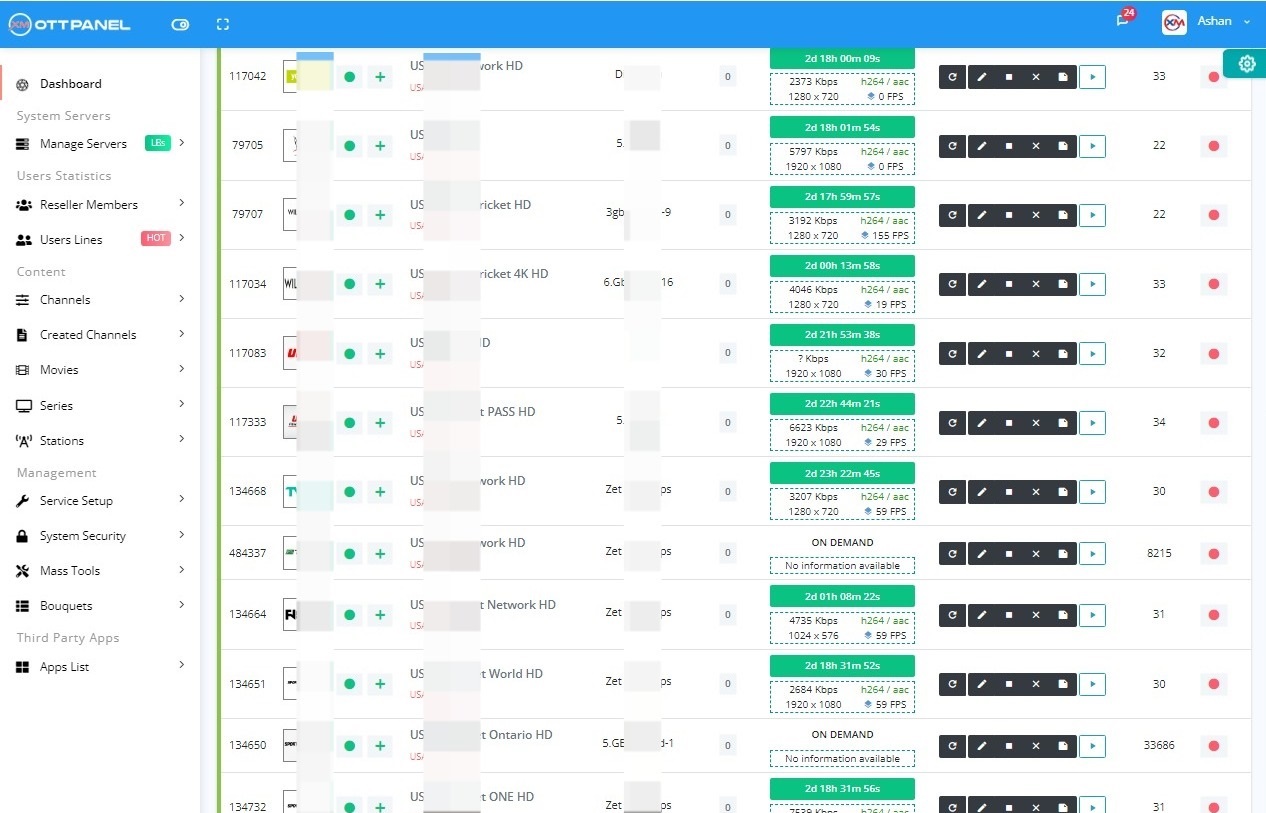
Don't let technical stream limits hold your business back. Our DRM Panel works alongside your Xtream UI installation to convert high-security streams into formats your panel can actually use.

Enterprise DRM Solution

Professional DRM Panel

Stop wasting time on incomplete scripts that don't work as expected

Convert MPD streams to HLS format with our enterprise-grade DRM panel. Manage all your DRM-encrypted content from multiple providers in one centralized location with automatic issue detection and fixing.

Xtream-Masters DRM Panel €29/Month
  • Panel license includes main server + 50 free LoadBalancers
  • Minimum 4 GB RAM server required for main server
  • Load balancer can start from 32GB RAM (5 channels ≈ 1GB RAM)
  • Operating Systems: Ubuntu 18.04, 20.04, or 22.04
  • Support for all major DRM providers

Start Converting MPD to HLS Today

Get Your License Now
Why Choose Us

Smart DRM Management Solution

We've designed our DRM panel with the easiest control panel and one-click load balancer installation. Almost all platforms are supported - manage all your streams in one place with peace of mind.

Universal

All-in-One Platform

Supports almost all DRM providers with intelligent load balancing. Manage different provider streams in one centralized location.

  • Multi-provider support
  • Centralized management
  • Load balancing included
Smart

Auto Issue Resolution

System automatically detects and fixes stream issues like audio loss, video problems, or loops within minutes for maximum stability.

  • Audio sync repair
  • Loop detection
  • Auto-recovery
User-Friendly

Intuitive Interface

Built with simplicity in mind - a clean, easy-to-understand interface with all necessary options readily accessible.

  • One-click operations
  • Simplified workflow
  • Quick setup process

DRM Panel Core Features

Convert MPD to HLS with enterprise-grade reliability and performance

🔄

MPD to HLS Converter

Seamlessly convert MPD format streams to HLS for universal compatibility across all devices and platforms.

⚖️

50 Free Load Balancers

Distribute your streams across 50 load balancers at no extra cost, ensuring optimal performance and reliability.

🚀

One-Click Installation

Deploy load balancers with a single click. No complex configuration or technical expertise required.

🔐

DRM Key Management

Secure storage and management of DRM keys with automatic rotation and encryption capabilities.

🌐

Multi-Provider Support

Compatible with all major DRM providers - manage multiple sources from a single dashboard.

📊

Real-Time Monitoring

Live stream health monitoring with instant alerts for issues and automatic remediation.

🛡️

Proxy Server Support

Built-in proxy support to bypass ISP restrictions and ensure uninterrupted streaming.

⚙️

Auto-Optimization

Intelligent resource allocation and stream optimization for maximum efficiency.

Support Center

Frequently Asked Questions

Find answers to common questions about our DRM Panel. Review these before contacting support.

All Questions
General
Technical
Setup
01

What is DRM Panel?

The DRM panel is a professional solution that converts MPD (MPEG-DASH) format links into HLS (HTTP Live Streaming) format. This allows you to create local streams directly from DRM-encrypted content that typically comes in .mpd format from various providers.

Key benefits include:

  • Universal device compatibility through HLS output
  • Centralized management of multiple DRM sources
  • Automatic stream optimization and error correction
  • Load balancing for improved performance
02

What do you need to use this panel?

To effectively use our DRM Panel, you'll need:

Server Requirements:

  • Your own dedicated server (VPS or dedicated)
  • Supported OS: Ubuntu 18.04, 20.04, or 22.04
  • Minimum 4GB RAM for main server
  • Load balancers: 32GB+ RAM (approximately 1GB per 5 channels)

Content Requirements:

  • MPD stream links from your provider
  • Associated DRM keys for decryption
  • Valid subscription to content sources
03

Where can you find MPD links and keys?

MPD links and DRM keys are typically obtained from:

  • Your streaming service provider's platform
  • Official content distribution partners
  • Licensed content aggregators

Important Note: We do not provide MPD links or keys. You must source these independently from legitimate providers. Please ensure you have the proper licenses and permissions for any content you stream.

For technical information on extracting MPDs from platforms you have access to, please search for relevant online resources and documentation.

04

To avoid ISP blocking, what do you need?

To bypass ISP restrictions and ensure uninterrupted streaming:

  • Proxy Server: You'll need your own proxy server for routing traffic
  • VPN Support: The panel supports VPN configurations for enhanced privacy
  • Multiple IPs: Consider using multiple IP addresses for redundancy
  • Load Balancing: Distribute traffic across multiple servers

Note: We do not provide proxy servers. You must arrange your own proxy infrastructure based on your specific needs and regional requirements.

05

What is the purpose of DRM Panel?

The DRM Panel serves several critical purposes in modern streaming infrastructure:

Primary Functions:

  • Convert DRM-protected MPD streams to universally compatible HLS format
  • Centralize management of multiple DRM content sources
  • Provide stable, reliable streaming with automatic error correction
  • Enable cross-platform compatibility for all devices

Business Benefits:

  • Reduce infrastructure complexity
  • Lower operational costs through automation
  • Improve stream quality and reliability
  • Scale your streaming service efficiently

Watch our comprehensive video guide to understand the full benefits and capabilities of the DRM Panel.

06

How long does setup take?

Our DRM Panel is designed for rapid deployment:

  • Initial Installation: Less than 5 minutes
  • Basic Configuration: 10-15 minutes
  • First Stream Setup: 5-10 minutes
  • Load Balancer Addition: One-click installation

Most users have their first stream running within 30 minutes of purchase. Our intuitive interface and automated setup processes eliminate the complexity typically associated with DRM systems.

Ready to Start Converting MPD to HLS?

Join hundreds of satisfied customers using our professional DRM solution

Purchase License - €29/Month Watch Tutorial