Table of Contents
- Why IPTV Operators Search for No-Code Solutions
- What "No Code" Actually Means for IPTV
- Approach 1: Generic No-Code App Builders
- Approach 2: Rebranding an Existing IPTV Player
- Approach 3: Purpose-Built White-Label IPTV Player
- No-Code IPTV Player App Comparison Table
- Features a No-Code IPTV Player App Must Have
- The Real Process: Build Your IPTV Player App in 3 Steps
- Common Mistakes When Building an IPTV App Without Coding
- The Verdict: Best No-Code Path for IPTV Operators
- FAQ
Why IPTV Operators Search for No-Code Solutions
The search query "how to build IPTV app without coding" has grown steadily since 2024, and for good reason. Most IPTV operators are business people, not software engineers. They understand streaming panels, subscriber management, and content delivery — but they have no experience building Android applications. When they learn that a custom-developed IPTV player app costs $10,000–$50,000 and takes three to six months, the next logical question is: "Can I build an IPTV app without coding?"
The short answer is yes. The longer answer is that the term "no-code" covers several very different approaches, and most of them fail for IPTV. Generic no-code app builders cannot produce a real IPTV player. Rebranding services produce a cosmetic change on someone else's player. Only one path delivers a genuinely no-code experience that results in a fully functional, branded IPTV player app — and that is a purpose-built white-label player.
This guide covers all three approaches honestly. By the end, you will know exactly which no-code path matches your needs, your budget, and the reality of what IPTV player apps require under the hood.
What "No Code" Actually Means for IPTV
In the general app development world, "no code" means platforms like Appy Pie, BuildFire, Adalo, or Glide that let anyone create a mobile app using drag-and-drop interfaces. You pick a template, customize the design, connect data sources, and publish. No programming languages, no IDE, no compiling. For simple apps — restaurant menus, event schedules, basic e-commerce — these platforms work.
IPTV player apps are not simple apps. An IPTV player is a specialized media application that must:
- Integrate with the Xtream Codes API (
player_api.php,get.php) to authenticate subscribers and fetch channel/VOD listings - Handle multi-format codec playback — HLS, MPEG-TS, RTMP, and adaptive bitrate streaming simultaneously
- Render a full EPG (electronic program guide) with grid layout, channel logos, and time-based navigation
- Manage Live TV, VOD, and Series as distinct content categories with search and favorites
- Support catchup/timeshift where the panel provides it
- Work on Android phones, Android TV, and Amazon Fire TV with remote-control-optimized navigation
- Handle subtitle rendering across SRT, SSA, and embedded subtitle formats
None of those capabilities exist in any generic no-code app builder. They are IPTV-specific requirements that demand purpose-built engineering. So when we talk about building an IPTV app "without coding," we are not talking about drag-and-drop app builders. We are talking about paths that let you, the operator, deploy a fully functional IPTV player without personally writing or managing any code.
That distinction is critical. The question is not "can an IPTV player exist without code?" — of course not, every app is code underneath. The question is "can I, as an IPTV operator, get a branded player app without coding?" That answer is yes, but only through certain paths.
Approach 1: Generic No-Code App Builders
Generic App Builders (Appy Pie, BuildFire, Adalo)
Drag-and-drop platforms designed for generic mobile apps. They can produce a branded app wrapper, but they cannot produce an IPTV player. Fundamentally incompatible with IPTV requirements.
This is the path most operators try first because it appears in every "build an app without coding" article on the internet. The platforms are well-marketed, the free tiers are enticing, and the promise is appealing: drag, drop, publish. The problem is that these platforms were designed for entirely different use cases.
What App Builders CAN Do
- Create a branded app with your logo and colors
- Add basic screens, menus, and navigation
- Embed a simple video player (HLS only)
- Connect to basic REST APIs for simple data
- Generate an APK for Android
What App Builders CANNOT Do
- Xtream Codes API integration
- Multi-format codec handling (MPEG-TS, RTMP)
- EPG / electronic program guide
- Live TV + VOD + Series categories
- Smart DNS auto-switch
- Built-in VPN tunnels
- ActiveCode device binding
- Android TV / Fire TV remote layouts
- Catchup / timeshift playback
The "cannot do" list is not a limitation that will be fixed in a future update. These are architectural limitations. Generic app builders operate on a component model — buttons, lists, forms, image galleries, basic media players. An IPTV player requires deep integration with streaming protocols, panel APIs, device-level hardware binding, and media frameworks like ExoPlayer. No drag-and-drop interface can produce that.
Operators who go down this path typically spend two to three weeks building an app, realize it cannot connect to their Xtream Codes panel, and abandon the project. The $100-$200 monthly subscription means they have also paid for months of a platform they cannot use. At $150/month, that is $1,800/year for an app that is not an IPTV player.
Approach 2: Rebranding an Existing IPTV Player
Rebranding (IPTV Smarters, Xciptv, etc.)
A freelancer decompiles an existing IPTV player APK, replaces the logo and color scheme, and recompiles it. The result is cosmetically yours, but technically it is still someone else's player running someone else's code.
Rebranding is the most popular "no-code" approach in the IPTV space because it is cheap and fast. For $50-$150 on Fiverr or Upwork, a freelancer will take a popular player like IPTV Smarters, swap the splash screen, change the app name, replace the icon, adjust the accent colors, and hand you an APK. No coding on your part.
The result is technically a functional IPTV player — it plays streams, connects to XC panels, and shows an EPG. But you inherit every limitation of the original player, and you gain several new risks:
- No admin panel. You cannot manage DNS, push configuration changes, or control the player remotely. Every change requires building a new APK and redistributing it to all subscribers.
- No Smart DNS auto-switch. If an ISP blocks your domain, every subscriber's player breaks. You have no mechanism to rotate DNS without distributing a new APK.
- No built-in VPN. Subscribers in regions with ISP blocking need a separate VPN app — friction that causes support tickets and churn.
- No Firebase architecture. Configuration is hardcoded into the APK. IP changes, DNS rotations, and branding updates all require new builds.
- No ActiveCode device binding. Credential sharing runs unchecked. Username/password limits are the only protection, and they are easily bypassed.
- Legal and security risk. Decompiling and rebranding a third-party APK often violates the original developer's terms of service. The recompiled APK may also trigger Google Play Protect warnings on subscriber devices.
- No Google Play AAB. Rebranded APKs rarely pass Google Play review. You are limited to sideloading distribution.
Rebranding gives you a player that looks like yours on the surface but operates like someone else's underneath. You have no control over updates, no remote management, and no way to differentiate your player from every other operator who rebranded the same base player. For a deeper analysis, see our IPTV app rebranding guide.
Approach 3: Purpose-Built White-Label IPTV Player
White-Label IPTV Player (Xtream-Masters)
A purpose-built IPTV player engineered from scratch for IPTV operators, branded with your identity, and delivered as APK + AAB + admin panel. No coding, no development tools, no maintenance burden. A finished product you manage through a web dashboard.
This is the no-code path that actually works for IPTV. A purpose-built white-label IPTV player is not a generic app builder output and not a rebranded copy of someone else's player. It is a professionally engineered IPTV player application that is designed to be branded and deployed by operators who have zero coding ability.
The Xtream-Masters white-label IPTV player is the definitive example. Here is how the no-code process works:
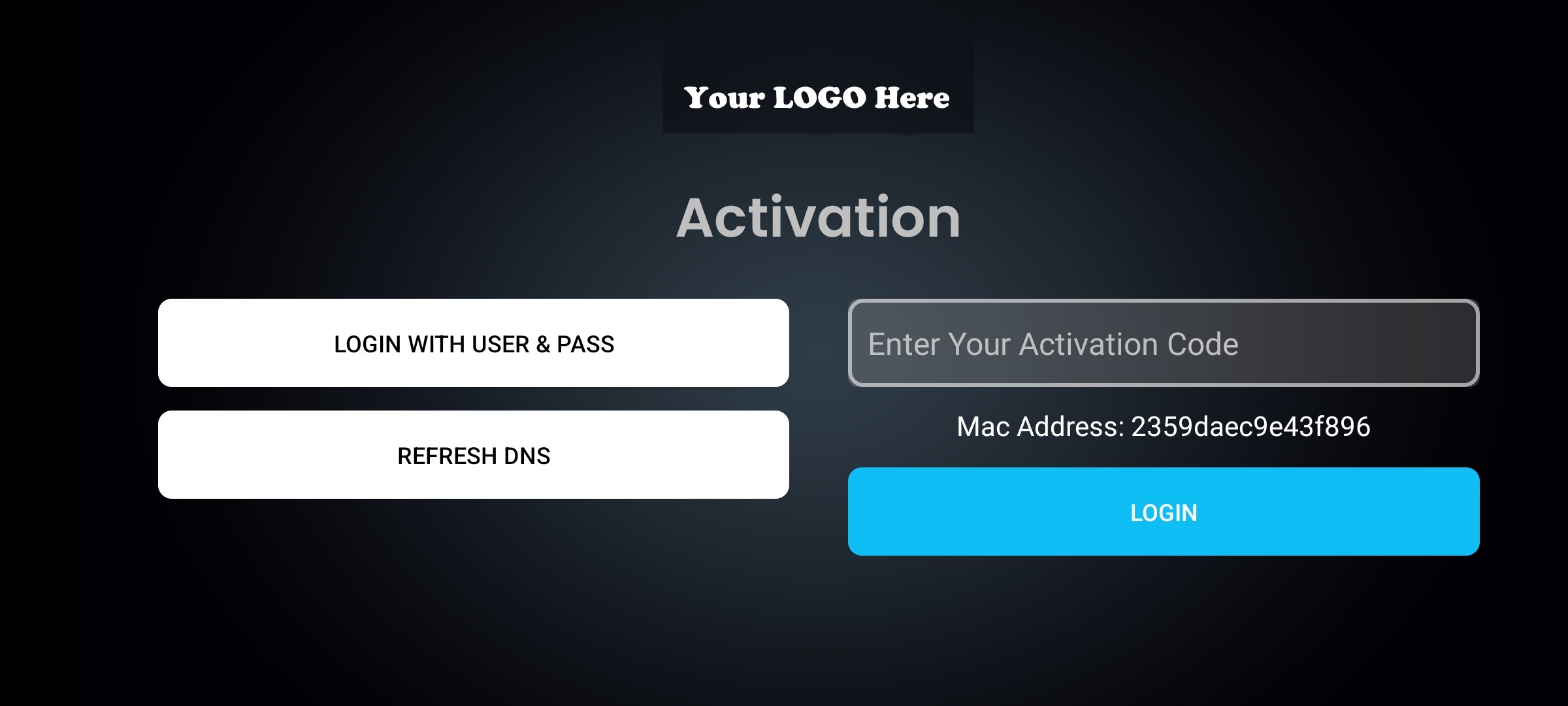
1 Submit your branding assets. Your logo (PNG), app name, brand colors (hex codes), splash screen image, and your IPTV panel's DNS or server URL. That is the complete input from your side — no technical configuration, no development environment, no coding tools.
2 The Xtream-Masters team builds your player. Your branding is integrated into the player. DNS servers are configured. Firebase is provisioned. Your admin panel account is created. The result is a fully branded, fully configured IPTV player app that connects to your panel and displays your brand from the moment a subscriber opens it.
3 Receive APK + AAB + admin panel access. In 3-7 business days, you receive: a signed APK for sideloading and direct distribution to subscribers, an AAB (Android App Bundle) ready for Google Play submission, and login credentials for your admin panel — the web dashboard where you manage every aspect of your player remotely.
From that point forward, you manage your IPTV player app through the admin panel. Add DNS servers, configure VPN profiles, update branding, manage activation codes, push security settings — all through a web browser, all without touching any code, all without rebuilding or redistributing the APK. Changes propagate to every deployed player instantly through Firebase.
Here is what the player includes — features that would cost $30,000-$50,000 to build from scratch with hired developers:
- Smart DNS auto-switch. Add unlimited DNS servers through the admin panel. When an ISP blocks one domain, the player automatically rotates to the next. No subscriber action required, no new APK build needed. This single feature eliminates the most common support issue for IPTV operators.
- Built-in 4-type VPN. OpenVPN, WireGuard, IKEv2, and HTTP Proxy tunnels built directly into the player. Subscribers do not need a separate VPN app. You configure and rotate VPN profiles remotely through the admin panel.
- Firebase 99.99% uptime architecture. The player pulls configuration from Google Firebase, not hardcoded values. If your panel IP changes, your domain gets blocked, or you need to rotate DNS, push the change instantly. Every deployed player updates automatically.
- ActiveCode device binding. Hardware-level device authentication that prevents credential sharing. Each activation code binds to a specific physical device. Stronger than username/password limits by an order of magnitude.
- Full admin panel. Web dashboard for DNS management, VPN profiles, branding updates, activation codes, security settings, and player configuration. Every change reaches all deployed players immediately. Learn more about the custom IPTV app architecture.
- Xtream Codes API compatible. Works with Xtream-Masters panel, XUI.ONE, Xtream UI, and any panel exposing the standard XC API.
- Android + Android TV + Fire TV. One player optimized for all three platforms with remote-control navigation for TV interfaces.
- Google Play ready. The AAB is built for Google Play submission. No recompilation hacks, no Play Protect warnings.
No-Code IPTV Player App — Comparison Table
The table below compares every no-code approach for building an IPTV player app. If you are evaluating how to build an IPTV app without coding, this is the comparison that matters.
| Category | Generic App Builder (Appy Pie, BuildFire) |
Rebranding (Smarters, Xciptv) |
White-Label Player (Xtream-Masters) |
|---|---|---|---|
| Coding Required? | None | None (freelancer handles it) | None |
| Upfront Cost | $0 – $200 | $50 – $150 | $299 one-time |
| Recurring Cost | $50 – $200/month | $0 (but every change = new build) | $0 |
| Year-1 Total | $600 – $2,400 | $50 – $500+ | $299 |
| Delivery Time | 1 – 2 weeks | 1 – 3 days | 3 – 7 days |
| Deliverable | APK (generic) | APK (recompiled) | APK + AAB + Admin Panel |
| Functions as IPTV Player? | No | Yes (inherited) | Yes (purpose-built) |
| XC API Compatible | No | Yes | Yes |
| Smart DNS Auto-Switch | No | No | Included |
| Built-in VPN | No | No | 4 types |
| Firebase Architecture | No | No | 99.99% uptime |
| Admin Panel | No | No | Full web dashboard |
| ActiveCode Device Binding | No | No | Hardware-level |
| Android TV / Fire TV | Mobile only | Depends on base player | All 3 platforms |
| Google Play Ready (AAB) | Platform dependent | Rarely passes review | AAB included |
| Verdict | Not viable for IPTV | Cosmetic only, no control | Full no-code IPTV player |
The comparison makes the difference clear. Generic app builders are no-code but cannot produce an IPTV player. Rebranding is no-code but delivers a cosmetic copy with no operational control. The white-label path is no-code and delivers a fully functional, remotely manageable IPTV player with features that surpass what most custom development projects produce.
Features a No-Code IPTV Player App Must Have
Whether you choose a no-code approach or any other path, your IPTV player app needs to meet a specific feature bar to be competitive in 2026. Your subscribers have used TiviMate, IPTV Smarters, and IBO Player. They know what a competent IPTV player looks like. If your branded player falls short, they will notice immediately — and your support queue will prove it.
Table-stakes features (every IPTV player needs these):
- Xtream Codes API compatibility —
player_api.phpandget.php - Multi-format codec handling — HLS, MPEG-TS, RTMP, adaptive bitrate
- Live TV + VOD + Series — full category browsing with search and favorites
- EPG / electronic program guide — grid layout with channel logos
- Catchup / timeshift playback
- Subtitle support — SRT, SSA, embedded
- Android phone + Android TV + Fire TV with remote-optimized UI
Operator-level features (the competitive advantage):
- Smart DNS auto-switch — automatic DNS rotation when ISPs block domains
- Built-in VPN — OpenVPN, WireGuard, IKEv2, HTTP Proxy in the player itself
- Firebase architecture — remote configuration, 99.99% uptime, no APK rebuilds
- ActiveCode device binding — hardware-level anti-credential-sharing
- Admin panel — web dashboard for DNS, VPN, branding, activation codes, settings
- Google Play AAB — store-ready Android App Bundle
Generic no-code app builders deliver zero features from either list. Rebranding delivers the table-stakes features but none of the operator-level features. The Xtream-Masters white-label IPTV player app delivers every feature on both lists at $299. That is the no-code option that actually meets the IPTV player standard.
The Real Process: Build Your IPTV Player App in 3 Steps
If you have decided that the purpose-built white-label path is the right no-code approach for your IPTV business, here is exactly what the process looks like from your side. The entire process requires zero coding, zero technical tools, and zero development experience.
1 Prepare your branding assets. Before you order, gather: your app name, your logo as a high-resolution PNG file, your brand colors as hex codes (e.g., #2b3e4d for dark blue, #22c55e for green), a splash screen image if you have one, and your IPTV panel's DNS or server URL. If you do not have a custom logo yet, most graphic designers on Fiverr can create one for $20-$50 in 1-2 days.
2 Place your order and submit assets. Order through the Xtream-Masters build page and submit your branding assets. The team confirms receipt and begins building your player. You do not need to install any software, configure any development environment, or learn any programming language. Your involvement at this stage is purely providing visual assets and your server information.
3 Receive and deploy. In 3-7 business days, you receive your APK, AAB, and admin panel login. Upload the APK to your website for subscribers to download directly. Submit the AAB to your Google Play developer account. Log into the admin panel to manage DNS servers, VPN profiles, activation codes, and player settings. Your branded IPTV player is live.
Common Mistakes When Building an IPTV App Without Coding
Operators who search for how to build an IPTV app without coding tend to make the same mistakes repeatedly. Avoid these to save time, money, and frustration:
Mistake 1: Starting with a generic app builder. The platforms are well-marketed and appear in every "no-code app" article online. Operators sign up, spend two weeks trying to build an IPTV player, and discover that the platform cannot connect to their Xtream Codes panel. Two weeks and $100-$200 wasted on a dead end. Research IPTV-specific solutions first.
Mistake 2: Treating rebranding as a permanent solution. A $50 Fiverr rebrand of IPTV Smarters solves the immediate branding problem but creates long-term operational problems. No remote management, no DNS rotation, no VPN, no device binding. When an ISP blocks your domain, you have no mechanism to update the player without redistributing a new APK to every subscriber. What starts as a $50 solution becomes a recurring operational headache.
Mistake 3: Confusing "no code" with "no investment." Building an IPTV app without coding does not mean building an IPTV app for free. The cheapest path that actually produces a functional IPTV player with operator-level features is $299. Operators who try to spend $0-$50 end up with either a non-functional app (generic builders) or a limited rebrand with no operational control. The $299 investment pays for itself the first time Smart DNS auto-switch prevents a service outage for your subscribers.
Mistake 4: Ignoring the admin panel requirement. Many operators focus entirely on the player app and forget that a player without an admin panel is an unmanageable player. In 2026, remote management is not optional — it is the difference between an IPTV business that scales and one that drowns in support tickets every time a DNS change is needed.
Mistake 5: Not planning for Google Play. If your player is only available as a sideloaded APK, you are limiting your distribution and making your service look less legitimate to potential subscribers. A Google Play AAB listing provides discoverability, automatic updates, and trust. The white-label path includes an AAB specifically for this reason — most rebranding and all generic app builder outputs fail Google Play review.
The Verdict: Best No-Code Path for IPTV Operators
If you want to build an IPTV player app without coding, there is one path that delivers a real result: a purpose-built white-label IPTV player. Generic app builders cannot produce IPTV players. Rebranding produces a cosmetic copy with no operational control. The white-label approach is the only no-code option that delivers a fully functional, remotely manageable, feature-rich IPTV player app.
The numbers confirm it. For $299 one-time and zero recurring fees, you get a branded IPTV player with Smart DNS, VPN, Firebase, ActiveCode, and an admin panel — features that cost $30,000-$50,000 to develop from scratch. Delivery takes 3-7 business days instead of 3-6 months. No coding required at any stage, from ordering to deployment to ongoing management.
For most IPTV operators, this is not just the best no-code option — it is the best option, period. You get the end result of a $30,000 custom development project at 1% of the cost, in 1% of the time, with zero coding ability required.
See also: How to Make Your Own IPTV App for a broader comparison including the custom development path, and IPTV App Rebranding Cost for a detailed breakdown of what rebranding actually costs when you factor in hidden expenses.